
Three Formats, Three Generations
Open your inbox on any given Monday and you’ll likely see all three: a CSV export from your analytics tool, a JSON webhook from Stripe, and an XML feed from a government data portal. Each format dominates a different corner of the industry, and each was born into a different era of computing.
CSV came from 1970s mainframes and IBM Fortran — the simplest possible tabular interchange. XML arrived in 1998 as an SGML simplification aimed at document markup and enterprise integration. JSON emerged in 2001 when Douglas Crockford extracted JavaScript’s object literal syntax and popularized it as RFC 4627 (now RFC 8259). By 2026, REST APIs run on JSON, finance runs on XML (FIX, FpML, XBRL), and data science runs on CSV and its columnar cousin Parquet.
This guide compares all three on syntax, file size, parse speed, schema support, tooling, nested data, streaming, and typical use cases — with the same example data rendered in each so you can see the tradeoffs side by side.
The Same Data in Three Formats
Start with a concrete dataset: two products, each with a nested list of tags. CSV:
id,name,price,tags 1,Keyboard,79.99,"mechanical,usb-c,rgb" 2,Mouse,39.50,"wireless,ergonomic"
JSON:
[ { "id": 1, "name": "Keyboard", "price": 79.99, "tags": ["mechanical","usb-c","rgb"] }, { "id": 2, "name": "Mouse", "price": 39.50, "tags": ["wireless","ergonomic"] } ]
XML:
<products> <product id="1"> <name>Keyboard</name> <price>79.99</price> <tags><tag>mechanical</tag><tag>usb-c</tag><tag>rgb</tag></tags> </product> <product id="2"> <name>Mouse</name> <price>39.50</price> <tags><tag>wireless</tag><tag>ergonomic</tag></tags> </product> </products>
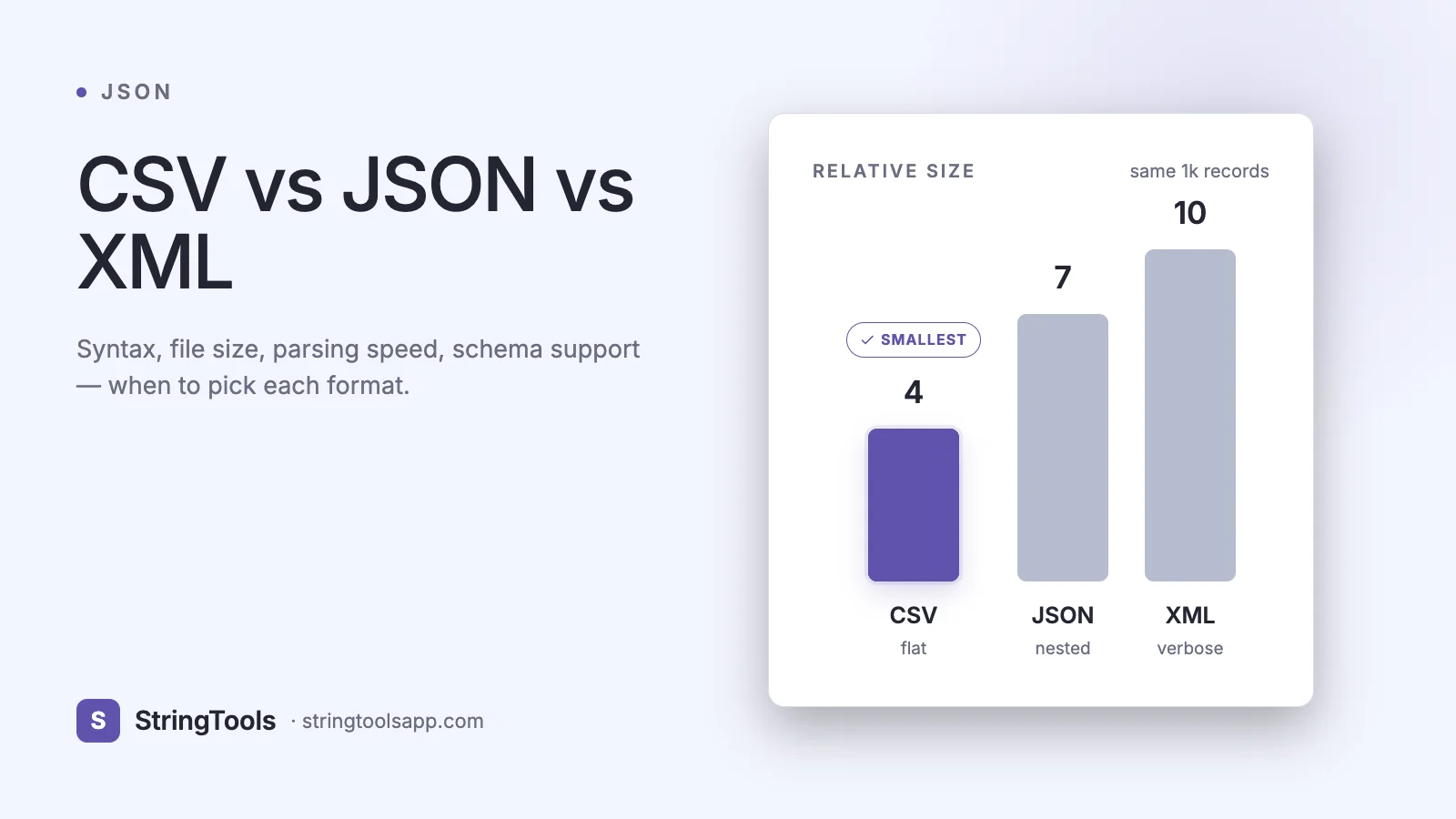
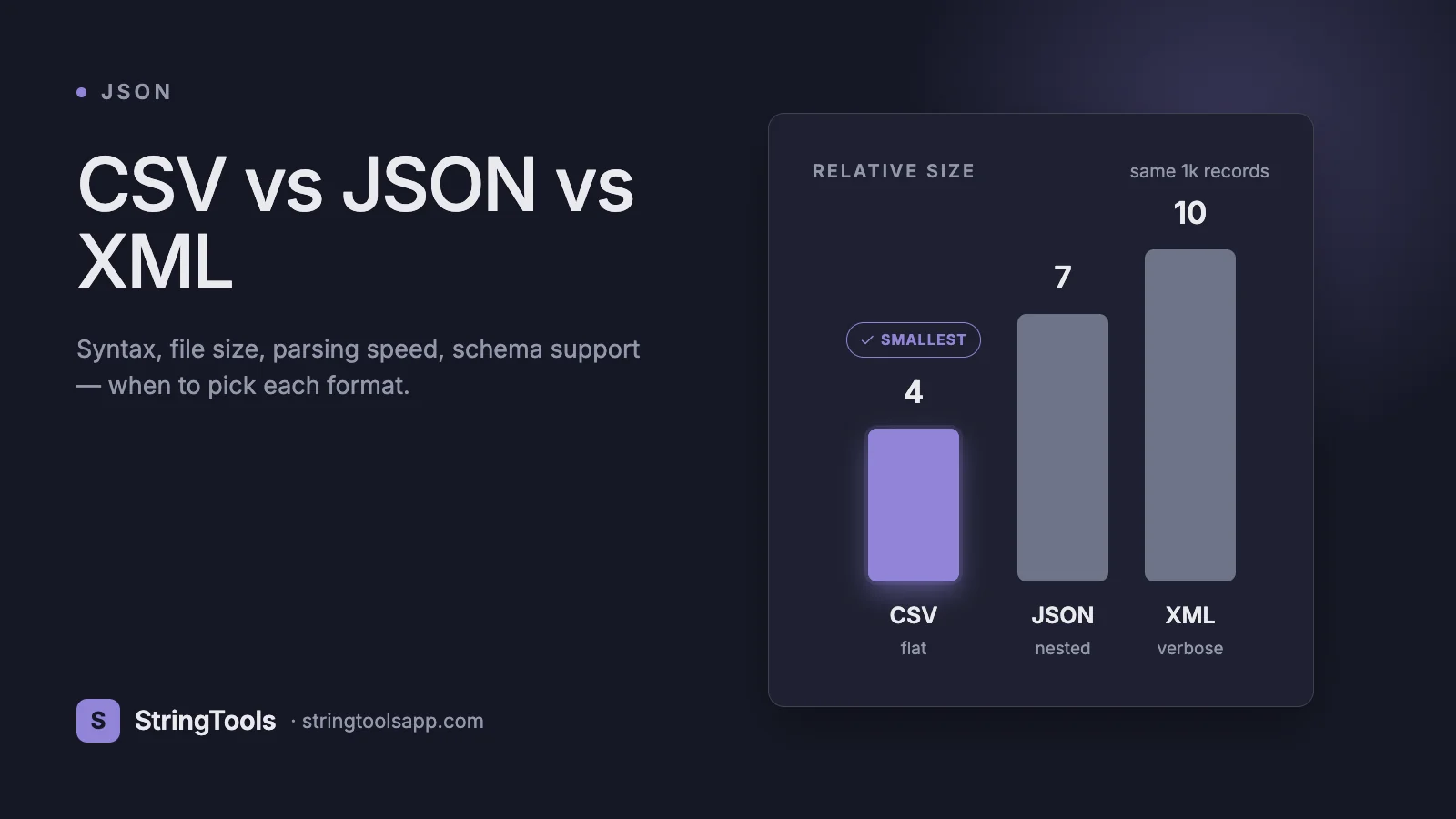
The byte counts tell the story: CSV ~80 bytes, JSON ~170 bytes, XML ~280 bytes. CSV wins on size, XML loses because of closing tags, JSON sits in the middle — but CSV can’t natively represent the nested tag list without hacks.
CSV in Depth
CSV (Comma-Separated Values) is standardized by RFC 4180, though in practice every producer has quirks. A row is one line, fields are separated by commas, and strings containing commas, quotes, or newlines are wrapped in double quotes with internal quotes doubled ("").
Strengths: smallest on disk, dead simple to write, universally readable — Excel, Google Sheets, Numbers, Pandas, R, DuckDB, and every database import tool speaks CSV. For tabular, flat data (rows of observations), nothing beats it.
Weaknesses: no native nesting, no type system (everything is a string until you parse), no schema, delimiter wars (commas vs semicolons vs tabs — European locales famously use semicolons because commas are decimal separators), encoding chaos (UTF-8 with or without BOM is the single biggest Excel headache). You also can’t reliably distinguish empty strings from nulls without a convention.
Use CSV for: analytics exports, data science ingestion, bulk imports into databases, spreadsheet round-trips, and cases where humans will open the file in Excel. Convert to JSON with our /csv-json-converter when you need structure.
JSON in Depth
JSON (JavaScript Object Notation) is defined by RFC 8259 and ECMA-404. It has six types: string, number, boolean, null, array, object. It supports arbitrary nesting, has native arrays and objects, and is directly parseable by every modern language’s standard library.
Strengths: compact relative to XML, trivially parsed by browsers (JSON.parse is sub-millisecond for megabyte documents), first-class support in REST, GraphQL, NoSQL (MongoDB, DynamoDB), and LLM APIs. Great tooling — formatters, linters, schema validators (Ajv, jsonschema), diff tools, and query languages (JSONPath, jq).
Weaknesses: no comments (JSON5 and JSONC add them), no schema built in (JSON Schema fills the gap), no trailing commas, verbose compared to CSV for flat tabular data, no date type (you serialize ISO 8601 strings by convention), and no distinction between integer and float beyond what JavaScript’s number can hold (2^53 — use strings for larger IDs).
Use JSON for: web APIs, config files (with comments via JSONC), mobile app data, NoSQL storage, LLM function calls, and anywhere structured, nested, typed data travels. Pretty-print and inspect with /json-formatter.
XML in Depth
XML (eXtensible Markup Language) is a W3C recommendation from 1998. It uses opening and closing tags, supports attributes on elements, namespaces (xmlns:prefix="uri") to prevent collisions, processing instructions, and CDATA sections for raw text.
Strengths: mature and battle-tested — SOAP web services, SEPA banking, HL7 healthcare, XBRL financial filings, DocBook publishing, SVG graphics, OOXML (Office documents), and Android layouts all ride on XML. Schema support is extraordinary: XSD (XML Schema Definition), Relax NG, DTD. XPath and XQuery are powerful query languages. XSLT transforms one XML shape to another declaratively. Namespaces let large organizations compose vocabularies safely.
Weaknesses: verbose (closing tags double the size), mixed content (text + elements interleaved) is powerful but confusing, parsers are heavyweight (DOM loads everything; SAX/StAX stream but are awkward), and security pitfalls (XXE, billion-laughs, external entity attacks) have a long history.
Use XML for: regulated industries (finance, healthcare, government), document-oriented data with mixed content, systems requiring schema-level validation, and integrations where XSD or namespaces are mandated. Convert XML to JSON with /json-xml-converter when moving to a web stack.
File Size and Parsing Speed
Real-world measurements on a 10,000-row product dataset:
Format — Size — Parse time (Node 22, MacBook Pro M3) CSV uncompressed — 620 KB — 14 ms (csv-parse) JSON uncompressed — 1,450 KB — 18 ms (JSON.parse) XML uncompressed — 2,380 KB — 62 ms (fast-xml-parser) CSV + gzip — 110 KB JSON + gzip — 180 KB XML + gzip — 210 KB
Two lessons: first, gzip collapses the format-size gap dramatically — XML is 3.8x larger than CSV uncompressed but only 1.9x after gzip, because closing tags are highly repetitive. Second, JSON parses faster than XML by a wide margin because browser and Node engines have heavily optimized JSON.parse.
For truly large datasets (GB-scale), move past all three: Parquet (columnar, compressed, typed) or Apache Arrow crush every text format on both size and speed. CSV/JSON/XML remain the interchange formats; Parquet is the storage format.
Schema Support and Validation
Schema support is where the three formats diverge sharply.
CSV — no native schema. Column headers are a convention, types are inferred at import time, and every tool guesses differently. Frictionless Data’s Table Schema (JSON-based) is the most common add-on standard, but adoption is patchy.
JSON — JSON Schema (Draft 2020-12) is the de-facto standard, used by OpenAPI 3.1, AsyncAPI, Ajv, jsonschema, and every major LLM tool-calling API. Declarative, portable, well-tooled.
XML — XSD 1.1 is the heavyweight champion. It supports type hierarchies, substitution groups, assertions, and is enforced by many parsers natively (you can validate during parsing). Relax NG (compact syntax) is a lighter alternative; DTD is the legacy predecessor.
Feature — CSV • JSON • XML Schema standard — none / Table Schema • JSON Schema • XSD / Relax NG Type system — strings only • 6 primitives • 40+ built-in types Namespaces — no • no • yes Validation tooling — weak • excellent • excellent
Nested Data, Streaming, and Edge Cases
Nested data is JSON’s and XML’s home turf. CSV requires hacks — pipe-delimited sub-fields, JSON blobs in a cell, or multiple files joined by ID. If your domain is hierarchical (orders with line items, documents with sections), avoid CSV as the primary format.
Streaming: all three can stream. CSV streams line by line trivially. JSON needs a streaming parser (stream-json, oboe.js, ijson in Python) because the document is a single tree by default — or you switch to NDJSON (newline-delimited JSON, one object per line), which combines JSON’s structure with CSV’s streaming friendliness. NDJSON powers logs (Loki, Vector), exports (BigQuery, Snowflake), and LLM streaming responses. XML streams via SAX or StAX — mature but verbose to code.
Dates: none of the three have native date types. ISO 8601 strings (2026-04-22T09:30:00Z) are the universal convention. XSD is the exception — it has xs:dateTime as a real type enforceable at parse time.
Comments: only XML has them (<!-- --> ). CSV and JSON do not; JSON5 / JSONC allow // and / / in config contexts only.
Industry Standards: Who Uses What
A field guide to where each format dominates in 2026:
Finance and banking — XML (SWIFT MT/MX, FIX, FpML, XBRL, SEPA) Healthcare — XML (HL7 v3, CDA) with JSON (FHIR) gaining rapidly Government and compliance — XML (XBRL filings, EU data portals) Public web APIs — JSON almost exclusively (REST, GraphQL) Mobile and desktop apps — JSON for config, XML for Android resources and iOS plists Data science and analytics — CSV for exchange, Parquet for storage, JSON for APIs Logs and observability — NDJSON (JSON lines) — Grafana Loki, OpenTelemetry, Vector, Fluent Bit LLM tool calls — JSON with JSON Schema parameters Config files — JSON / JSONC / YAML / TOML; XML is fading here Spreadsheet interop — CSV for import/export, XLSX (OOXML = zipped XML) internally Document markup — XML (DocBook, DITA) plus Markdown
Head-to-Head Comparison Table
Year popularized — CSV: 1970s • XML: 1998 • JSON: 2001 Specification — CSV: RFC 4180 • XML: W3C 1.0/1.1 • JSON: RFC 8259 / ECMA-404 Human-readable — CSV: yes (tabular) • XML: yes (verbose) • JSON: yes (concise) File size — CSV: smallest • XML: largest • JSON: middle Nesting — CSV: no • XML: yes • JSON: yes Type system — CSV: strings • XML: XSD types • JSON: 6 primitives Schema standard — CSV: none • XML: XSD • JSON: JSON Schema Comments — CSV: no • XML: yes • JSON: no (JSONC yes) Attributes — CSV: no • XML: yes • JSON: no Namespaces — CSV: no • XML: yes • JSON: no Streaming — CSV: trivial • XML: SAX/StAX • JSON: NDJSON / streaming parsers Query language — CSV: SQL via DuckDB • XML: XPath/XQuery • JSON: JSONPath / jq Web API usage 2026 — CSV: exports • XML: legacy / SOAP • JSON: dominant Best for — CSV: tabular bulk • XML: regulated docs • JSON: web APIs
Common Mistakes
CSV: assuming comma is universal (European locales use semicolons), forgetting to quote fields with embedded commas or newlines, mixing encodings (Excel defaults vary by OS), and losing leading zeros on ZIP codes and phone numbers because Excel silently casts to number.
JSON: trailing commas (not allowed in strict JSON — a common parse failure), using numbers for IDs that exceed 2^53 (use strings), forgetting that NaN and Infinity are invalid JSON, and over-nesting until the object tree becomes impossible to navigate.
XML: XXE (XML External Entity) attacks from parsers with external entity resolution enabled — always disable it on untrusted input. Billion-laughs entity expansion. Confusing attributes vs child elements in design (a common culture war). Forgetting that whitespace between elements is significant by default.
Frequently Asked Questions
Which format is fastest to parse? JSON in modern engines (V8, SpiderMonkey, Python’s orjson). CSV comes close for flat data and wins on memory because rows stream naturally. XML is the slowest of the three due to tag matching, namespace resolution, and entity handling, though streaming parsers narrow the gap for huge files.
Should I use CSV or JSON for data exports? CSV if the consumer is Excel or a data scientist using Pandas. JSON (or NDJSON) if the consumer is a developer, another service, or anything requiring nested structure. Offering both is common — Stripe, Shopify, and Salesforce all do.
Is XML dead? Far from it. XML is entrenched in finance, healthcare, publishing, Office documents (XLSX, DOCX are zipped XML), and government data. JSON has displaced it in web APIs, but the XML installed base is measured in exabytes and growing in regulated industries.
What about YAML and TOML? Both are human-friendly config formats. YAML (a JSON superset) dominates DevOps (Kubernetes, GitHub Actions, Ansible). TOML is preferred for package manifests (Cargo, pyproject.toml). Neither competes with CSV/JSON/XML for data interchange — they’re for configuration.
How do I convert between them? Use /csv-json-converter for CSV↔JSON round-trips and /json-xml-converter for JSON↔XML conversion. For large files, command-line tools like csvkit, jq, xq (yq), and xmlstarlet work well in pipelines.
Is NDJSON the same as JSON? NDJSON (newline-delimited JSON, also called JSON Lines) puts one complete JSON value per line. It combines JSON’s structure with line-oriented streaming. OpenAI streaming responses, BigQuery exports, and most observability pipelines use NDJSON.
Which format compresses best? All three compress very well with gzip or zstd because they’re highly repetitive text. XML compresses best by ratio (90%+) because of closing tags; CSV already being compact compresses less dramatically. For long-term storage of large datasets, use columnar formats (Parquet, ORC) instead — they compress 5-10x better still.
Conclusion: Choose Based on the Consumer
The right format depends entirely on who or what reads the file next. Pick CSV for spreadsheets and bulk tabular imports. Pick JSON for web APIs, NoSQL, and modern apps. Pick XML when the industry standard, schema requirements, or legacy systems mandate it. Don’t choose based on fashion — choose based on the data shape, the consumer, and the toolchain you already own. And when the choice changes, convert.
Try /csv-json-converter or /json-xml-converter to flip your data between formats in one click, and /json-formatter to pretty-print the result.