
Introduction: Why Date Math Trips Up Even Experienced Developers
Picture this scenario: you sign a 90-day rental agreement on January 15. When does it end? You might intuitively answer April 15, but the correct answer depends on whether you count the start date, how February's 28 (or 29) days fall, and whether your jurisdiction uses calendar days or business days. A single off-by-one error in a contract, payroll calculation, or visa application can have real consequences, ranging from late fees to denied entry at a border.
Date calculations seem simple on the surface, yet they remain one of the most error-prone areas in software engineering and everyday spreadsheet work. According to a 2024 Stack Overflow survey, date and time handling consistently ranks among the top three sources of production bugs, alongside null pointer exceptions and character encoding issues. The reasons are deeply human: we have 12 months of unequal length, leap years that follow a 400-year cycle, more than 38 active timezones, and at least four widely used date formats that look identical but mean different things.
This comprehensive guide walks you through everything you need to calculate days between two dates correctly, whether you are working in Excel, Python, JavaScript, SQL, or simply trying to figure out how many days until your next vacation. We cover the underlying math, the practical formulas, the cross-language code, the common traps, and the privacy-conscious online tools you can use when you just want a fast, accurate answer.
What Counts as a 'Day' and Why That Matters
Before diving into formulas, we need to agree on what a day actually is. In the Gregorian calendar — the civil calendar used by virtually every country on Earth since the 20th century — one day equals 86,400 seconds, or one full rotation of the Earth relative to the Sun. Simple enough.
But software does not always count days the way humans do. There are at least four distinct interpretations:
1. Calendar days: The naive count from one date to another, ignoring time of day. From May 1 to May 5 is 4 calendar days (or 5 if you count both endpoints). 2. Elapsed days: Total time difference divided by 86,400 seconds. This can produce fractional results. 3. Business days: Calendar days minus weekends and public holidays. Used heavily in finance and law. 4. Inclusive vs exclusive counting: Does the start date count? Does the end date count? Both? Neither?
A German rental contract often counts both endpoints inclusively, while an American payroll system typically counts the start day but not the end day. Indian government forms vary by department. Always check the convention before computing — a date difference is meaningless without it. When in doubt, document explicitly: 'inclusive of both dates' or 'excluding the start date.' This single line of clarification prevents most disputes.
Leap Years and Calendar Quirks You Cannot Ignore
The Gregorian leap year rule is the most quoted yet most frequently mis-implemented piece of date logic in existence. The rule has three parts:
1. Years divisible by 4 are leap years (2024, 2028, 2032). 2. Except years divisible by 100, which are not leap years (1700, 1800, 1900, 2100). 3. Except years divisible by 400, which are leap years after all (1600, 2000, 2400).
So the year 2000 was a leap year, but 1900 was not, and 2100 will not be. This 400-year cycle contains exactly 146,097 days, which works out to an average of 365.2425 days per year — within 26 seconds of the true tropical year. The rule was introduced by Pope Gregory XIII in 1582 to correct the drift of the older Julian calendar.
Why does this matter for date math? Because failing to account for February 29 will silently produce a one-day error in any range that crosses a leap day. Consider calculating days from January 15, 2024 to March 15, 2024. The correct answer is 60 days (16 days in January + 29 in February + 15 in March). A naive calculation assuming a 28-day February gives 59 — wrong by exactly one day.
Other calendar quirks worth knowing: October 1582 lost ten days when the Gregorian calendar was introduced (the day after October 4 was October 15), Russia did not adopt the Gregorian calendar until 1918, and Sweden famously had a February 30 in 1712. These edge cases rarely affect modern software, but historical research and genealogy tools must handle them carefully.
Date Difference Formulas in Excel and Google Sheets
Excel and Google Sheets store dates as serial numbers: January 1, 1900 is day 1, January 2, 1900 is day 2, and so on. This makes date subtraction trivially simple — you just subtract one cell from another.
Basic subtraction: =B2-A2 If A2 is 2026-01-15 and B2 is 2026-04-15, this returns 90.
The DAYS function (clearer intent): =DAYS(B2, A2) Returns the same 90, but reads more naturally and never accidentally formats as a date.
The DATEDIF function (years, months, days): =DATEDIF(A2, B2, "d") returns days =DATEDIF(A2, B2, "m") returns complete months =DATEDIF(A2, B2, "y") returns complete years =DATEDIF(A2, B2, "ym") returns months ignoring years
DATEDIF is undocumented in modern Excel but still works in every version since Excel 5. It is the standard formula for age calculation: =DATEDIF(BirthDate, TODAY(), "y") gives a person's age in completed years.
Network days (excluding weekends): =NETWORKDAYS(A2, B2) =NETWORKDAYS(A2, B2, HolidayRange)
NETWORKDAYS counts Monday through Friday only and optionally subtracts a custom holiday list. NETWORKDAYS.INTL lets you redefine which days count as weekends, useful for countries where Friday and Saturday are the weekend (Saudi Arabia, UAE before 2022, Israel).
For inclusive counting, add 1: =B2-A2+1. For age in years, months, and days, combine three DATEDIF calls. Always store dates as real date values, never as text — a column formatted as text will silently break every formula above.
Calculating Date Differences in Python, JavaScript, and SQL
Python's datetime module makes date arithmetic almost embarrassingly easy:
from datetime import date start = date(2026, 1, 15) end = date(2026, 4, 15) delta = end - start print(delta.days) # 90
The subtraction returns a timedelta object, whose .days attribute gives the integer count. For datetime objects (which include hours, minutes, seconds), you also get .seconds and .microseconds. To get fractional days, use delta.total_seconds() / 86400.
JavaScript is messier because Date objects represent instants in time, not calendar dates:
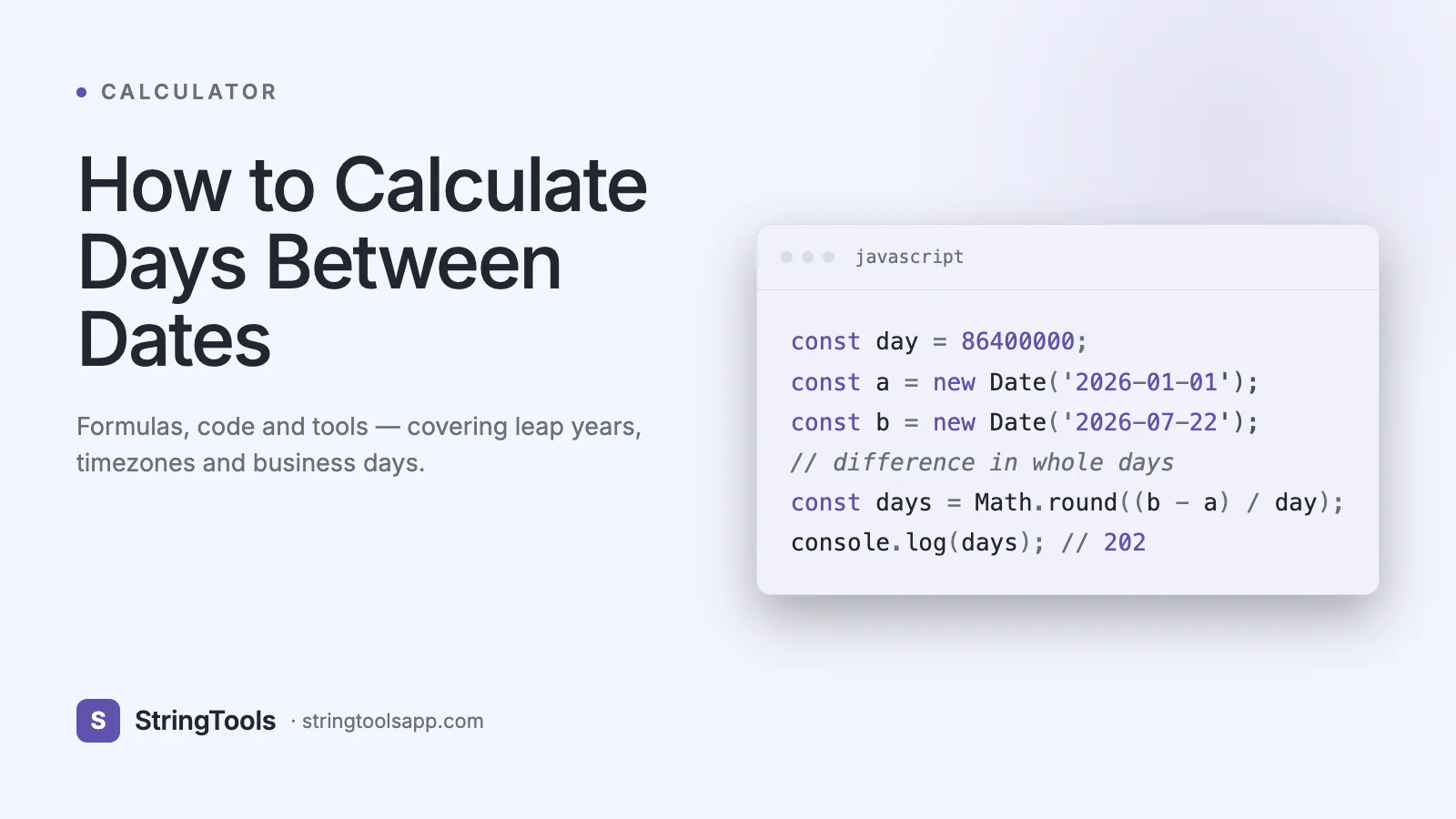
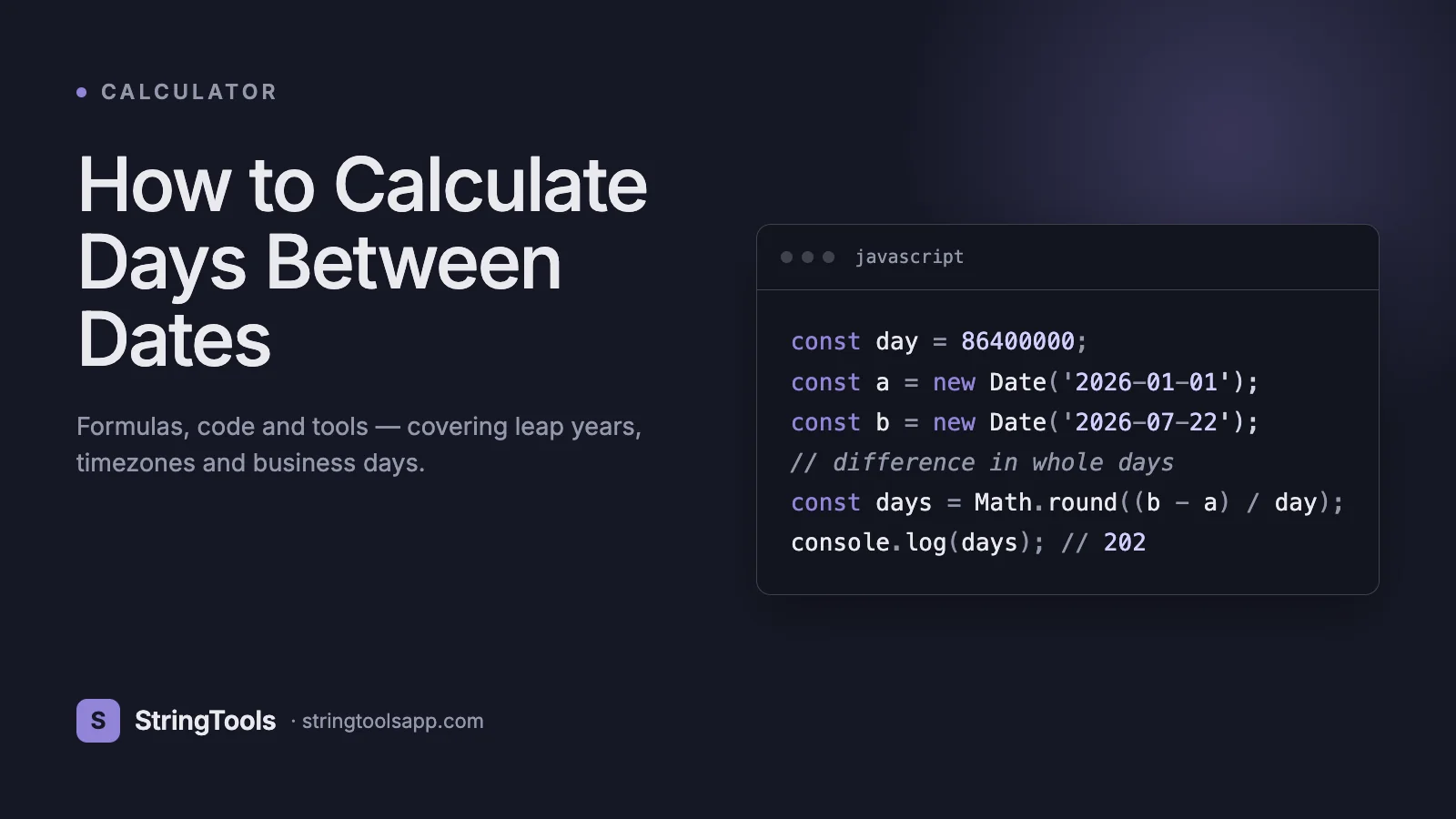
const start = new Date('2026-01-15'); const end = new Date('2026-04-15'); const diffMs = end - start; const diffDays = Math.round(diffMs / (1000 60 60 * 24));
Use Math.round, not Math.floor, to handle daylight-saving transitions that shift the difference by one hour twice a year. For accurate calendar-day counts, set both dates to midnight UTC first, or use a library like date-fns: differenceInCalendarDays(end, start).
SQL varies by dialect. In SQL Server: SELECT DATEDIFF(day, '2026-01-15', '2026-04-15') -- 90
In PostgreSQL: SELECT '2026-04-15'::date - '2026-01-15'::date -- 90
In MySQL: SELECT DATEDIFF('2026-04-15', '2026-01-15') -- 90
Note that SQL Server's DATEDIF takes the unit first, while MySQL's takes end before start. Mixing these up is a classic copy-paste bug. Always test with a known difference before trusting the output.
Real-World Use Cases That Demand Accuracy
Project deadlines: A 12-week sprint starting February 1, 2026 ends April 26, not April 25 or April 27. Project managers who miscalculate kickoff-to-delivery dates routinely deliver a day late or early, creating tension with clients who expect contractual precision.
Contract durations: Lease agreements, employment contracts, NDAs, and SLAs all specify durations in days, months, or years. A 30-day notice period served on March 5 expires April 4, not April 5 (assuming exclusive start). Get this wrong and a tenant overstays, an employee leaves a day early, or an SLA breach goes undetected.
Age calculation: Date of birth subtracted from today gives age, but the rules differ across legal systems. In most countries you turn 18 on your 18th birthday, but in East Asian age reckoning (still used informally in Korea until 2023), babies are 1 at birth and gain a year each new year. Insurance companies sometimes use 'nearest birthday' rules.
Pregnancy weeks: Obstetrics measures pregnancy from the last menstrual period (LMP) in completed weeks plus days. Week 23 + 3 days means 23 full weeks and 3 additional days have passed since LMP. Accurate counting determines viability thresholds and screening windows.
Government forms: Indian Aadhaar, US Social Security, and EU residency applications often require date ranges in specific formats with strict validation. The Indian passport application asks for stay-abroad durations to the day, with rejections for inconsistencies of even one day across forms.
Interest calculation: Banks compute simple interest as (principal × rate × days) / (100 × 365). A miscount of one day on a million-rupee loan at 10 percent costs roughly 274 rupees of mis-billed interest.
Step-by-Step: Calculating Days Between Two Dates
Whether you choose pen and paper or an online tool, the procedure is the same.
Step 1: Confirm both dates are in the same format. Write them out unambiguously: 2026-05-12 (ISO 8601) is always May 12, 2026, while 05/12/2026 is May 12 in the US and December 5 in India. ISO 8601 is the only format guaranteed to be unambiguous worldwide and is the format every database and API should use internally.
Step 2: Decide your counting convention. Inclusive of both endpoints? Exclusive of the start? Calendar or business days? Document this choice before calculating.
Step 3: Verify both dates fall within a single calendar system. For dates after October 15, 1582, you can safely use the Gregorian calendar. For earlier dates, decide whether you want Julian or proleptic Gregorian.
Step 4: Compute the raw difference. The simplest approach: convert both dates to days-since-epoch (Unix timestamp / 86400 for modern dates, or Excel serial number), subtract, and you are done.
Step 5: Apply your counting convention. If inclusive of both endpoints, add 1. If excluding weekends, subtract 2 days for each full week plus partial-week adjustments.
Step 6: Account for leap years if your range crosses February 29. A correct algorithm handles this automatically; manual calculation does not.
Step 7: Sanity check. Pick a known reference: there are exactly 365 days from January 1, 2026 to January 1, 2027 (non-leap to non-leap), and exactly 366 days from January 1, 2024 to January 1, 2025 (because 2024 is a leap year).
For a fast, private, no-account-required calculation, the StringToolsApp Date Difference tool at /date-difference handles all of this in your browser — no data leaves your device.
Common Mistakes That Produce Off-By-One Errors
Mistake 1: Confusing inclusive and exclusive counts. From May 1 to May 5 can be 4 days (exclusive) or 5 days (inclusive). Always specify which.
Mistake 2: Mixing date formats. 03/04/2026 means April 3 in India and March 4 in the US. Importing a CSV from one region into a spreadsheet configured for another silently corrupts every date in the file.
Mistake 3: Forgetting leap years. A 365-day naive year length produces a 1-day error every leap year. Over a decade, that compounds to 2-3 days.
Mistake 4: Using floating-point arithmetic for days. (end - start) / 86400 can return 89.9999 instead of 90 due to daylight-saving transitions or timezone offsets. Always round, or work in pure dates without time components.
Mistake 5: Treating timezones as cosmetic. A flight that departs Mumbai on March 5 at 23:30 IST arrives in London on March 5 at 04:30 BST — but UTC says it departed March 5 at 18:00 and arrived March 6 at 04:30. The 'date' depends on which clock you read. Store everything in UTC and only convert at display time.
Mistake 6: Ignoring DST. Daylight-saving transitions create days that are 23 or 25 hours long. Subtracting two timestamps across the spring-forward boundary in March can return 23 hours when you expect 24.
Mistake 7: Using sentinel dates like 0000-00-00 or 9999-12-31 that some date libraries reject.
Best Practices for Reliable Date Math
Always store dates in UTC. Convert to local time only when displaying to a user. Storing local times leads to ambiguity during DST transitions (the 1:30 AM that occurs twice every November in the US) and complicates any cross-timezone reporting.
Use ISO 8601 everywhere. The format YYYY-MM-DD is unambiguous, sorts correctly as a string, and is understood by every modern programming language and database. Reject any input that is not ISO 8601 unless your form explicitly tells the user which format to use.
Prefer date types over string types in databases. A DATE column with a CHECK constraint is far safer than a VARCHAR(10) holding date strings. Databases will reject invalid dates like 2026-02-30 automatically.
Test leap-year boundaries explicitly. Your test suite should include calculations across February 29, 2024 and December 31 to January 1 transitions in both leap and non-leap years.
For business-day calculations, externalize your holiday calendar. Hard-coding holidays in code requires a deploy every December; loading them from a config file or database lets the operations team update them.
When displaying durations to users, match their mental model. 'In 3 days' is more useful than 'on May 15.' For longer durations, '2 weeks 3 days' beats '17 days' for human comprehension.
Comparison: Manual vs Spreadsheet vs Code vs Online Tool
Method | Speed | Accuracy | Privacy | Best For Manual mental math | Slow | Low for ranges over 30 days | Total | Quick estimates Excel/Google Sheets | Fast | High with DATEDIF/NETWORKDAYS | High (local) | Recurring business calculations Python/JavaScript | Medium setup, fast at scale | Highest | Total (local) | Production software SQL | Fast for stored data | High | Depends on database | Reports across millions of rows Online calculator | Fastest one-off | High if tool is well-built | Varies — pick browser-based | Single quick lookups
For one-off calculations, an online tool is unbeatable for speed. The risk is privacy: server-based tools may log the dates you submit, which can leak sensitive information (a divorce filing date, a medical procedure date, a contract termination date). Always prefer browser-based tools that compute locally.
For recurring work in a team, spreadsheets win because the formulas are visible, auditable, and shareable. For automated production systems, code is essential because it can run on a schedule, generate alerts, and integrate with other systems.
For large data warehouses, SQL is the natural choice — computing days between order date and ship date across 50 million rows takes seconds in PostgreSQL and minutes in Excel.
Privacy and Data Considerations
Dates may seem innocuous, but they leak personal information surprisingly often. A date of birth is a top-five identifier in any breach (alongside name, email, phone, and address). Calculating days between dates online can inadvertently expose:
1. Birthdays and ages, useful for identity theft. 2. Hire dates and termination dates, sensitive in employment disputes. 3. Medical procedure dates, protected under HIPAA in the US and DPDP Act in India. 4. Travel dates, useful for stalkers or burglars. 5. Contract execution and expiry dates, commercially sensitive.
When using any online date calculator, prefer tools that explicitly state they run entirely in your browser (no server round-trip). Look for keywords like 'client-side,' 'no upload,' or 'works offline.' Open the browser developer tools network tab and confirm no requests fire when you enter dates.
For compliance-sensitive work — HIPAA, GDPR, India's DPDP Act 2023 — log every date calculation that touches personal data, encrypt logs at rest, and apply minimum-necessary access controls. Many enterprises forbid pasting personally identifiable information into any external website, which makes local-only tools the only safe option.
The StringToolsApp Date Difference tool runs 100 percent in your browser. Your dates never leave your device. There is no server, no log, no analytics on the values you input. For more on building privacy-respecting tools, see our guide on /blog/api-security-best-practices.
Frequently Asked Questions
Q: How many days are between January 1 and December 31 of the same year? A: Either 364 days (exclusive) or 365 days (inclusive of both endpoints). In a leap year, those numbers become 365 and 366.
Q: How do I calculate someone's exact age? A: In Excel, =DATEDIF(BirthDate, TODAY(), "y") returns completed years. In Python, today.year - born.year - ((today.month, today.day) < (born.month, born.day)).
Q: How many business days between two dates? A: Use Excel's NETWORKDAYS, Python's numpy.busday_count, or SQL Server's custom function. Remember to subtract public holidays specific to your country.
Q: Why does my date difference calculation return 89.958 instead of 90? A: You are probably subtracting datetimes that span a daylight-saving transition. Convert both to UTC dates first, or use a library that handles calendar days explicitly.
Q: How do I handle dates before 1582 (pre-Gregorian)? A: Most software uses the proleptic Gregorian calendar, which extends the rule backward indefinitely. For historical accuracy, use a specialized library that supports both Julian and Gregorian dates.
Q: Are negative date differences valid? A: Yes — a negative result means the second date is earlier than the first. Many systems use the absolute value or swap the dates automatically, but it is worth confirming the behavior of your specific tool.
Q: How do I calculate days until a future date? A: Subtract today's date from the target date. =target - TODAY() in Excel, (target - date.today()).days in Python.
Q: What is Unix epoch time? A: The number of seconds elapsed since January 1, 1970 00:00:00 UTC. Dividing by 86,400 converts seconds to days. Most modern programming languages expose Unix timestamps via Date.now() in JavaScript or time.time() in Python.
Conclusion: Calculate With Confidence
Date arithmetic looks simple but hides real complexity in leap years, timezones, daylight saving, format ambiguity, and counting conventions. Master the seven-step procedure above, choose ISO 8601 as your default format, store everything in UTC, and you will avoid 95 percent of the bugs that trip up other developers and analysts.
For everyday use — checking how many days until a flight, calculating a rental period, computing your age in days — you do not need to write code. The free, browser-based StringToolsApp Date Difference Calculator at https://stringtoolsapp.com/date-difference gives you an instant, accurate answer with full leap-year handling, optional inclusive counting, and zero data leaving your device. Bookmark it for the next time someone asks how many days are between now and the deadline.
When accuracy matters and privacy is non-negotiable, reach for /date-difference. It is the fastest way to get the right answer.