
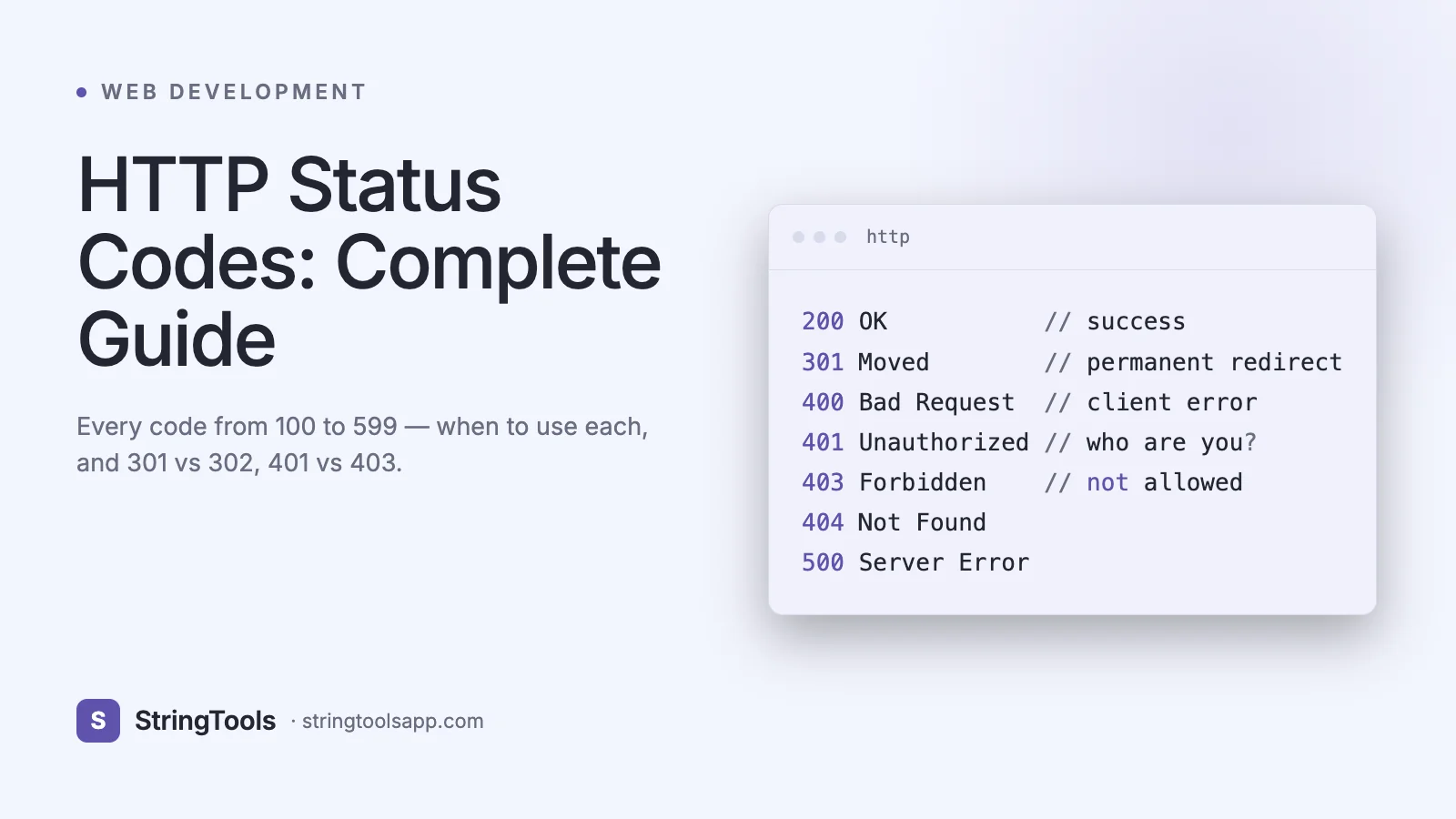
Why HTTP Status Codes Matter More Than You Think
A mobile app returns a cryptic error. An SEO audit flags thousands of "soft 404s." A payment integration randomly fails with 502s during peak traffic. Every one of these incidents starts at the same place: a three-digit number in the first line of an HTTP response.
HTTP status codes are the universal language between your client and your server. They drive browser behavior, search engine indexing, CDN caching, retry logic, and even billing. Google treats 301 and 302 redirects differently for ranking. Stripe's SDK retries on 409 but not on 422. Cloudflare caches 301s but not 302s by default. AWS load balancers return 502 for upstream errors and 504 for timeouts, and your on-call engineer needs to tell them apart at 3 AM.
And yet, most developers can name maybe a dozen codes off the top of their head. This guide is the complete reference: all the codes you will realistically encounter, grouped by class, with concrete scenarios, code examples, common mistakes, and guidance aligned with RFC 9110 (the 2022 update that obsoleted RFC 7231). By the end, you will know exactly which status to return, why, and what every code means when you see it in a log.
What Is an HTTP Status Code?
An HTTP status code is a three-digit integer returned by a server in the status line of every HTTP response. The first digit defines the class of response, and the remaining two digits do not have a categorizing role.
The five classes are:
1xx Informational — the request was received and the server is continuing to process it. 2xx Successful — the request was successfully received, understood, and accepted. 3xx Redirection — further action is required to complete the request. 4xx Client Error — the request contains bad syntax or cannot be fulfilled. 5xx Server Error — the server failed to fulfill a valid request.
A minimal HTTP/1.1 response looks like this:
HTTP/1.1 200 OK Content-Type: application/json Content-Length: 27
{"status":"ok","id":42}
The status line — HTTP/1.1 200 OK — contains the protocol version, the numeric code, and a reason phrase. The reason phrase is advisory: clients MUST NOT rely on it, per RFC 9110 section 15. Only the number matters. HTTP/2 and HTTP/3 drop the reason phrase entirely; the status code is sent as a pseudo-header, :status.
When you use a tool like the StringTools API Client at /api-client to send a request, inspecting the status code is the first thing you do to decide whether the response body is a payload, an error object, or a redirect target.
1xx Informational Responses
Informational responses indicate an interim state. They are relatively rare in typical REST APIs but critical for WebSockets, HTTP/2 early hints, and performance optimization.
100 Continue — the client sent an Expect: 100-continue header with a large request body, and the server is signaling it is willing to accept it. Used to avoid wasting bandwidth on a body the server would reject.
101 Switching Protocols — the server is upgrading the connection. This is how WebSockets start: the client sends Upgrade: websocket, and the server responds with 101.
HTTP/1.1 101 Switching Protocols Upgrade: websocket Connection: Upgrade
102 Processing — a WebDAV extension indicating the server is still working on a long request. Deprecated in RFC 9110 but still found in some WebDAV stacks.
103 Early Hints — the server sends preliminary Link headers before the final response so the browser can begin preloading critical resources. Chrome 103+, Firefox 120+, and Cloudflare, Fastly, and Shopify use this to shave 100-400 ms off Largest Contentful Paint. Example:
HTTP/1.1 103 Early Hints Link: </style.css>; rel=preload; as=style Link: </app.js>; rel=preload; as=script
2xx Success Codes (The Happy Path)
200 OK — the standard success code. GET returned a resource, POST executed, PUT updated. Body contains the result.
201 Created — a new resource was created. The response SHOULD include a Location header pointing to the new resource. Use for POST /users, POST /orders, etc.
HTTP/1.1 201 Created Location: /users/42 Content-Type: application/json
{"id":42,"email":"jane@example.com"}
202 Accepted — the request has been accepted for processing, but processing has not completed. Used for async jobs: file conversions, report generation, ML inference queues. Pair with a status endpoint or a webhook.
204 No Content — success, but there is no body to return. Perfect for DELETE /users/42 and for PUT requests where the client already has the new state. Do not include a response body; some proxies will strip it.
206 Partial Content — a Range request succeeded. Used by video players, download managers, and S3 multipart downloads. The response includes Content-Range: bytes 0-1023/5000.
Common mistake: returning 200 with {"success": false} for errors. This breaks every HTTP-aware tool — retry libraries, monitoring, caching layers — because they all key on the status code. Return the correct 4xx or 5xx instead, with error details in the body.
3xx Redirection Codes
Redirections tell the client to look elsewhere. The nuances between them drive SEO, POST handling, and caching behavior.
301 Moved Permanently — the resource has a new canonical URL. Search engines transfer ranking signals. Browsers and proxies cache aggressively. Use for domain migrations (http://old.com to https://new.com).
302 Found — temporary redirect. Do not cache. Historically browsers changed POST to GET on 302, which is why 307 and 308 exist.
303 See Other — "POST then GET the result at this URL." The canonical Post/Redirect/Get pattern to prevent form resubmission on refresh.
304 Not Modified — conditional GET succeeded; the client's cached copy is still valid. Response has no body. Triggered by If-None-Match or If-Modified-Since headers. CDNs rely on 304 heavily.
307 Temporary Redirect — like 302, but the method MUST NOT change. POST stays POST.
308 Permanent Redirect — like 301, but the method MUST NOT change. Modern replacement for 301 when method preservation matters, e.g., redirecting API endpoints.
301 vs 302 deep dive: choose 301 when the move is permanent and you want search engines to transfer PageRank. Choose 302 for A/B tests, maintenance pages, or temporary regional routing. Cloudflare caches 301 by default and not 302. Getting this wrong is one of the most common SEO mistakes in production — a mis-set 302 during a migration can cost months of organic rankings.
4xx Client Error Codes
These mean the client did something wrong. Returning the right 4xx lets clients handle errors intelligently instead of blindly retrying.
400 Bad Request — malformed syntax. Invalid JSON, missing required field at the syntactic level, bad query parameter. Not for business-logic failures.
401 Unauthorized — missing or invalid authentication. Despite the name, it means "unauthenticated." MUST include a WWW-Authenticate header per RFC 9110.
403 Forbidden — authentication succeeded, but the user lacks permission. Used for role-based access control, plan-based limits, and IP allowlists.
404 Not Found — the resource does not exist, or the server is hiding that it does (common for private resources to avoid leaking existence).
405 Method Not Allowed — the URL exists but does not accept this verb. Must include an Allow header listing permitted methods: Allow: GET, POST.
409 Conflict — the request conflicts with current state. Classic use: optimistic concurrency control with ETags, or duplicate resource creation (signup with an email already taken).
410 Gone — the resource existed but is permanently removed. Tells search engines to de-index, unlike 404 which implies "might come back."
422 Unprocessable Content — syntax is fine, but semantics failed validation. Email format invalid, date in the past, password too short. Rails and Laravel default to this for validation errors.
429 Too Many Requests — rate limit exceeded. Include Retry-After: 60 (seconds) and optionally RateLimit-Limit, RateLimit-Remaining, RateLimit-Reset headers. GitHub, Stripe, and Twitter all use 429 with these headers.
401 vs 403: 401 means "I do not know who you are" — client should prompt login or refresh token. 403 means "I know who you are, and you cannot do this" — client should show a permission error, not a login screen. Mixing these produces infinite login loops and is one of the top auth bugs in SaaS apps. See /blog/api-security-best-practices for deeper guidance.
5xx Server Error Codes
500 Internal Server Error — the catch-all. An unhandled exception, a null pointer, a database connection failure. Never return 500 for validation errors; that is 422.
501 Not Implemented — the method is not supported at all (e.g., a client sends PATCH but your server only implements GET and POST). Distinct from 405 in that 405 means "not on this resource" and 501 means "never."
502 Bad Gateway — your server is acting as a proxy and got an invalid response from the upstream. Classic nginx-in-front-of-Node response when Node crashed.
503 Service Unavailable — server is temporarily down (maintenance, overload). SHOULD include Retry-After. Use during deploys or when a circuit breaker trips.
504 Gateway Timeout — your proxy waited too long for upstream. AWS ALB defaults to 60 seconds, Cloudflare to 100 seconds. If you see 504 under load, check upstream latency, not your edge.
507 Insufficient Storage — rare, but used by WebDAV and some cloud storage APIs when quota is exhausted.
508 Loop Detected — the server detected an infinite redirect loop during request processing.
502 vs 503 vs 504: use 502 when upstream returned garbage, 503 when you have chosen to refuse the request (maintenance, load shedding), and 504 when upstream did not respond in time. Monitoring that conflates all three is how teams miss real incidents.
Complete Reference Table
Quick-lookup table of the most common codes.
Code — Meaning • When to use 100 — Continue • Expect: 100-continue 101 — Switching Protocols • WebSocket upgrade 103 — Early Hints • Preload hints 200 — OK • Successful GET/PUT 201 — Created • Successful resource creation 202 — Accepted • Async job accepted 204 — No Content • Successful DELETE, empty PUT 206 — Partial Content • Range request 301 — Moved Permanently • Permanent redirect, SEO transfer 302 — Found • Temporary redirect 303 — See Other • POST then GET pattern 304 — Not Modified • Cache still valid 307 — Temporary Redirect • Temp redirect, preserve method 308 — Permanent Redirect • Permanent redirect, preserve method 400 — Bad Request • Malformed syntax 401 — Unauthorized • Missing or invalid auth 403 — Forbidden • Authenticated but not allowed 404 — Not Found • Resource does not exist 405 — Method Not Allowed • Wrong verb for this URL 409 — Conflict • State conflict, duplicate 410 — Gone • Permanently removed 422 — Unprocessable Content • Validation error 429 — Too Many Requests • Rate limited 500 — Internal Server Error • Unhandled exception 502 — Bad Gateway • Upstream returned garbage 503 — Service Unavailable • Maintenance, overload 504 — Gateway Timeout • Upstream too slow
Working with Status Codes in Code
Clients must branch on status codes. Here is the canonical pattern in several languages.
JavaScript fetch():
const res = await fetch("https://api.example.com/users/42"); if (res.status === 404) return null; if (res.status === 429) { const retry = Number(res.headers.get("Retry-After") ?? 1); await new Promise(r => setTimeout(r, retry * 1000)); return retry(); } if (!res.ok) throw new Error(`HTTP ${res.status}`); return res.json();
Python requests:
r = requests.get(url) if r.status_code == 204: return None r.raise_for_status() return r.json()
Node.js Express (server-side):
app.post("/users", async (req, res) => { if (!req.body.email) return res.status(400).json({ error: "email required" }); try { const user = await db.users.create(req.body); res.status(201).location(`/users/${user.id}`).json(user); } catch (e) { if (e.code === "DUP_EMAIL") return res.status(409).json({ error: "email taken" }); res.status(500).json({ error: "internal" }); } });
curl inspection:
curl -i -X POST https://api.example.com/users -d '{"email":"a@b.com"}'
The -i flag prints headers including the status line. Use the StringTools API Client at /api-client for a visual interface with status-code coloring.
Common Mistakes to Avoid
Returning 200 for errors. The number-one antipattern. Every HTTP-aware tool from Cloudflare to Datadog keys on the status code. A 200 with an error body is invisible to them.
Confusing 401 and 403. 401 means unauthenticated, 403 means unauthorized. Reversing them produces bad UX (login prompts for users who are already logged in).
Using 404 instead of 410 for deleted content. Search engines will keep crawling 404s for months. 410 tells them to drop the URL immediately.
Returning 500 for validation failures. 500 means your code broke. Validation errors are the client's fault and should be 400 or 422. Confusing these floods your error-monitoring tool with noise.
Forgetting Retry-After on 429 and 503. Without it, well-behaved clients retry immediately and make the problem worse.
Using 302 for permanent moves. SEO teams lose sleep over this. Use 301 or 308 for anything permanent.
Treating all 5xx as retryable. 501 Not Implemented will never succeed on retry. Only retry on 502, 503, 504, and with exponential backoff.
Best Practices for API Design
Be consistent. Pick a set of codes your API uses and document them. Stripe famously uses fewer than 15 codes; this is a feature, not a bug.
Always return structured error bodies. RFC 9457 Problem Details for HTTP APIs defines a standard JSON format:
{"type":"https://api.example.com/errors/validation", "title":"Validation failed", "status":422, "detail":"email must be a valid address", "instance":"/users"}
Include rate-limit headers even on successful responses so clients can back off proactively. Return ETag on GETs to enable 304 responses and save bandwidth.
Do not leak existence via 404 vs 403. If a user asks for a resource they should not even know exists, return 404 to avoid confirming its existence. GitHub does this for private repos.
Log the status code, the request ID, and the user ID together. Correlating 500s to a specific deploy or user is impossible without this.
Frequently Asked Questions
What is the difference between 401 and 403? 401 Unauthorized means the request lacks valid authentication credentials — the client needs to log in or refresh a token. 403 Forbidden means the credentials are valid but the authenticated user does not have permission for this specific action. A good mental model: 401 is "who are you?" and 403 is "I know you, and no." 401 responses must include a WWW-Authenticate header.
What is the difference between 404 and 410? 404 Not Found means the resource does not exist right now; it might in the future. 410 Gone means it existed but is permanently removed and will not return. Search engines treat them differently — they keep re-crawling 404s but immediately de-index 410s. Use 410 for deleted products, retired API versions, or banned content.
What causes a 504 Gateway Timeout? 504 means a proxy or load balancer waited too long for an upstream server to respond. Common causes: a slow database query, an unresponsive microservice, a deadlock, or a timeout misconfiguration (AWS ALB defaults to 60 seconds). Check upstream latency first, then network paths, then the timeout settings on your edge.
Should I use 301 or 302 for a redirect? Use 301 (or 308 to preserve method) for permanent moves — domain migrations, URL restructures. Use 302 (or 307) for temporary redirects — maintenance pages, A/B tests. Search engines transfer ranking signals through 301/308 but not 302/307. Getting this wrong during a site migration can cost months of SEO.
Is 422 or 400 correct for validation errors? Both are defensible. 400 Bad Request means malformed syntax. 422 Unprocessable Content means syntax is fine but the content failed validation. Most modern frameworks (Rails, Laravel, FastAPI) use 422 for validation, and this is the cleanest convention. Reserve 400 for JSON parse errors and similar.
What status code should I return for a successful DELETE? 204 No Content is the idiomatic choice — operation succeeded, nothing to return. 200 is also acceptable if you want to return the deleted resource or a confirmation message.
Can I create custom HTTP status codes? Technically yes — the HTTP spec reserves unassigned codes — but do not. Clients, proxies, and tools only understand registered codes. Use a registered code and put custom information in the body.
Conclusion
HTTP status codes are a small interface with huge consequences. Get them right and your API plays nicely with browsers, CDNs, monitoring tools, and search engines. Get them wrong and you fight your infrastructure for years.
Test your status codes. Send real requests and inspect real responses. The StringTools API Client at /api-client lets you fire any method at any URL, see the exact status code with color coding, inspect headers, and save collections — no installation required. Pair it with /blog/api-security-best-practices and /blog/jwt-tokens-explained to round out your API toolkit.
Treat the status line as the contract. Everything else is implementation.