
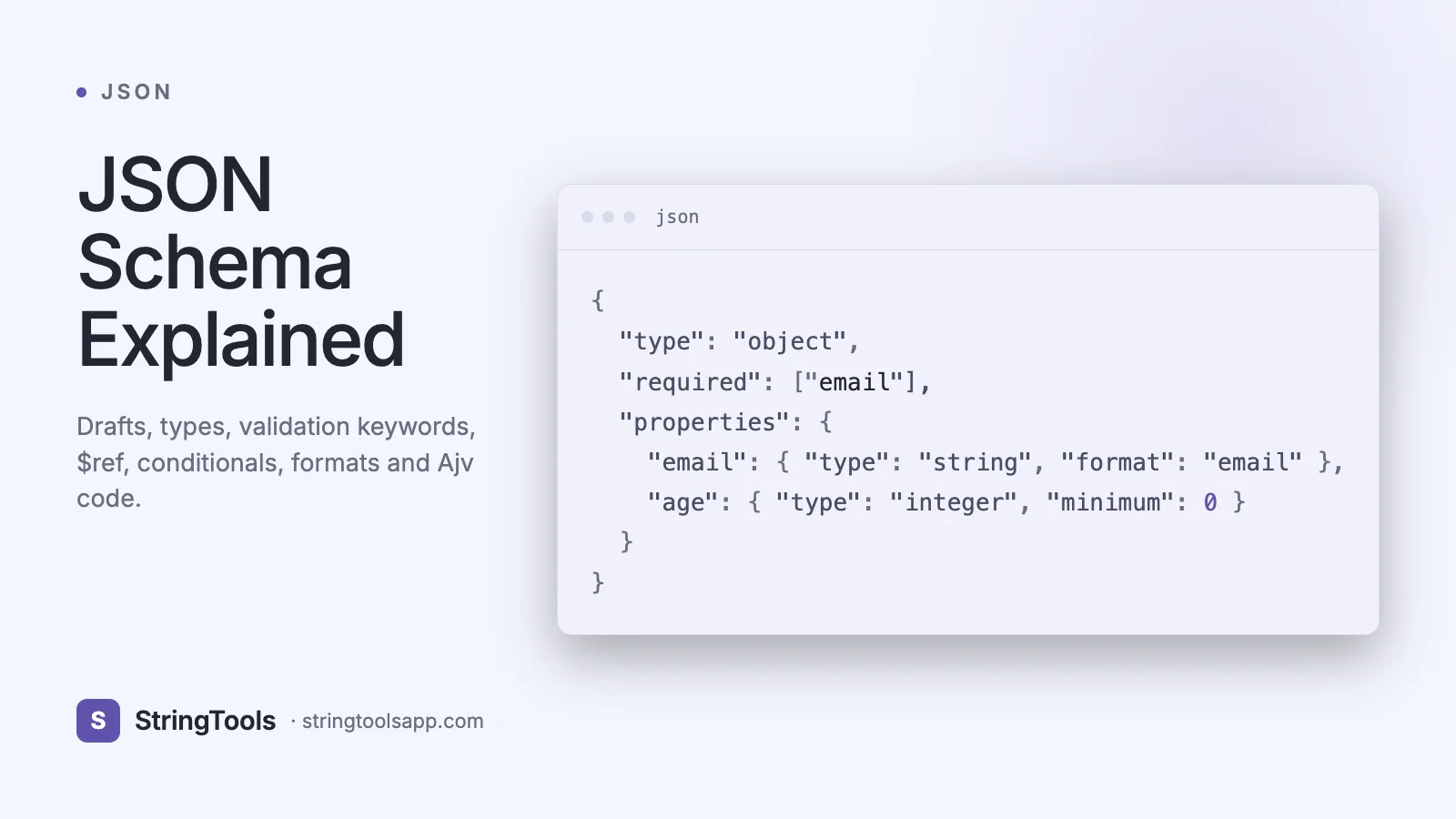
Why JSON Schema Matters in 2026
You ship a new API. A customer posts an order with price: "19.99" (a string) instead of 19.99 (a number). Your handler crashes at 3 AM. Another customer posts quantity: -3 and creates a negative-inventory nightmare in accounting. Another sends email: "notanemail" and the welcome job silently fails for two weeks.
These are not exotic bugs — they are the default behavior of any API that accepts JSON without a contract. JSON Schema solves them. It’s a JSON-based vocabulary for annotating and validating JSON documents, standardized by the IETF, and the backbone of OpenAPI, AsyncAPI, JSON Forms, config validators, LLM tool-calling, and countless internal validators at AWS, Microsoft, Google, and Shopify.
This guide walks you through JSON Schema from first principles: drafts, core keywords for each type, $ref composition, conditional logic, built-in formats, and real validators in JavaScript (Ajv) and Python (jsonschema). By the end you’ll be able to write, test, and maintain production schemas — and know exactly when to reach for JSON Schema versus OpenAPI.
What Is JSON Schema?
JSON Schema is a declarative language, written in JSON itself, that describes what a valid JSON document looks like. A schema is a set of constraints — "this must be an object, it must have fields name and age, name must be a non-empty string, age must be an integer between 0 and 130."
A minimal example:
{ "$schema": "https://json-schema.org/draft/2020-12/schema", "type": "object", "required": ["name", "age"], "properties": { "name": { "type": "string", "minLength": 1 }, "age": { "type": "integer", "minimum": 0, "maximum": 130 } } }
Validators read this schema and a candidate document and emit either valid: true or a list of errors with JSON Pointers telling you exactly which field failed and why. JSON Schema is declarative (no code), language-agnostic (validators exist for every major language), and composable (schemas reference other schemas).
Draft Versions: Which One Should You Use?
JSON Schema evolved through several drafts, and picking the right one matters because keywords changed.
Draft 4 (2013) — Used by OpenAPI 2.0 (Swagger). Still seen in legacy tooling. Draft 6 (2017) — Added const, examples, contains. Draft 7 (2018) — Added if/then/else, readOnly, writeOnly, $comment. Most widely adopted for years. Draft 2019-09 — Split vocabularies, renamed definitions to $defs, added dependentRequired. Draft 2020-12 — Current stable. Reworked items / prefixItems, tightened $ref behavior, official OpenAPI 3.1 alignment.
For new projects in 2026, use Draft 2020-12. Declare it explicitly at the top of every schema:
{ "$schema": "https://json-schema.org/draft/2020-12/schema" }
Ajv, jsonschema (Python), NJsonSchema (.NET), and everit (Java) all support it. Only fall back to Draft 7 if you’re integrating with tooling that hasn’t caught up — a shrinking list.
The Six Basic Types
Every JSON Schema starts with a type (or a union of types). The six core types match the JSON spec exactly:
{ "type": "string" } { "type": "number" } { "type": "integer" } { "type": "boolean" } { "type": "null" } { "type": "array" } { "type": "object" }
You can allow several with a type array: { "type": ["string", "null"] } — the classic "nullable string" idiom. Every subsequent keyword we’ll cover only applies to its matching type — minLength does nothing on numbers, maximum does nothing on strings — so think of each type as having its own vocabulary.
String Keywords: minLength, pattern, format
Strings get four main constraints:
{ "type": "string", "minLength": 3, "maxLength": 64, "pattern": "^[a-zA-Z0-9_]+$", "format": "email" }
minLength and maxLength count Unicode code points, not bytes. pattern is an ECMA-262 regex (no anchors implied — always include ^ and $ if you want a full match). format is a semantic hint: email, uri, uri-reference, date, time, date-time (RFC 3339), uuid, hostname, ipv4, ipv6, regex, and duration (ISO 8601).
Importantly, format is assertive only when your validator is configured that way. In Ajv, pass { validateFormats: true } — it is on by default with the ajv-formats package. Without it, formats are advisory. Always load ajv-formats in production.
Number and Integer Keywords
Numbers get range and multiple constraints:
{ "type": "number", "minimum": 0, "maximum": 1000, "exclusiveMinimum": 0, "exclusiveMaximum": 1000, "multipleOf": 0.01 }
multipleOf: 0.01 is the idiomatic way to enforce "at most two decimal places" for currency. exclusiveMinimum and exclusiveMaximum are booleans in Draft 4 but numbers in Draft 6+. If you need a strict positive: { "type": "number", "exclusiveMinimum": 0 } in modern drafts.
Use integer instead of number whenever decimals don’t make sense. integer forbids 19.5 but accepts 20 and 20.0 (JSON has no separate int type, but schemas treat a whole-valued number as an integer).
Array Keywords: items, minItems, uniqueItems, contains
Arrays are validated with:
{ "type": "array", "minItems": 1, "maxItems": 100, "uniqueItems": true, "items": { "type": "string", "format": "email" }, "contains": { "const": "admin@example.com" }, "minContains": 1 }
items applies a subschema to every element. prefixItems (Draft 2020-12) validates a positional tuple:
{ "type": "array", "prefixItems": [ { "type": "string" }, { "type": "number" } ], "items": false }
Here items: false forbids extras, so only ["USD", 19.99] validates. contains / minContains / maxContains assert that at least one (or N) element matches a subschema — extremely useful for "must include at least one admin role." uniqueItems uses deep structural equality, not reference equality.
Object Keywords: properties, required, additionalProperties
Objects are where most real schemas live:
{ "type": "object", "required": ["id", "email"], "properties": { "id": { "type": "string", "format": "uuid" }, "email": { "type": "string", "format": "email" }, "age": { "type": "integer", "minimum": 13 } }, "patternProperties": { "^meta_": { "type": "string" } }, "additionalProperties": false, "minProperties": 2, "maxProperties": 50 }
additionalProperties: false is the single most important keyword for API hardening. Without it, clients can send arbitrary extra fields and you may accidentally store them. patternProperties matches field names by regex — useful for dynamic keys. dependentRequired { "creditCard": ["billingAddress"] } says "if creditCard is present, billingAddress must also be present."
Paste any sample JSON into our /json-formatter to inspect structure before drafting a schema.
Composition: $ref, $defs, allOf, anyOf, oneOf
Reuse is what separates toy schemas from production ones. $ref lets you point at another schema:
{ "$defs": { "Address": { "type": "object", "required": ["country"], "properties": { "country": { "type": "string", "minLength": 2, "maxLength": 2 } } } }, "type": "object", "properties": { "billing": { "$ref": "#/$defs/Address" }, "shipping": { "$ref": "#/$defs/Address" } } }
The combinators:
allOf: must match every subschema (mix-in inheritance). anyOf: must match at least one (union with overlap). oneOf: must match exactly one (discriminated union). not: must not match.
Conditional logic uses if/then/else:
{ "if": { "properties": { "country": { "const": "US" } } }, "then": { "required": ["zipCode"] }, "else": { "required": ["postalCode"] } }
This pattern — conditional required fields — is impossible in most type systems but trivial in JSON Schema.
A Real Example: E-commerce Order Validation
A production order schema pulling everything together:
{ "$schema": "https://json-schema.org/draft/2020-12/schema", "$id": "https://api.shop.com/schemas/order.json", "title": "Order", "type": "object", "required": ["id", "customerId", "items", "currency", "total"], "additionalProperties": false, "properties": { "id": { "type": "string", "format": "uuid" }, "customerId": { "type": "string", "format": "uuid" }, "currency": { "type": "string", "enum": ["USD", "EUR", "GBP", "INR"] }, "total": { "type": "number", "exclusiveMinimum": 0, "multipleOf": 0.01 }, "items": { "type": "array", "minItems": 1, "maxItems": 500, "items": { "$ref": "#/$defs/LineItem" } }, "status": { "enum": ["pending", "paid", "shipped", "refunded"] } }, "$defs": { "LineItem": { "type": "object", "required": ["sku", "quantity", "unitPrice"], "properties": { "sku": { "type": "string", "pattern": "^[A-Z0-9-]{4,32}$" }, "quantity": { "type": "integer", "minimum": 1 }, "unitPrice": { "type": "number", "exclusiveMinimum": 0, "multipleOf": 0.01 } } } } }
This one schema replaces dozens of hand-written if-statements across your codebase.
Validating in JavaScript with Ajv and Express
Ajv is the fastest JSON Schema validator in JavaScript — it compiles schemas to optimized JS functions. A full Express middleware:
import express from "express"; import Ajv from "ajv"; import addFormats from "ajv-formats"; import orderSchema from "./schemas/order.json" with { type: "json" };
const ajv = new Ajv({ allErrors: true, removeAdditional: "failing" }); addFormats(ajv); const validateOrder = ajv.compile(orderSchema);
const app = express(); app.use(express.json());
app.post("/orders", (req, res) => { if (!validateOrder(req.body)) { return res.status(400).json({ errors: validateOrder.errors }); } // body is now typed and safe res.status(201).json({ id: crypto.randomUUID() }); });
In Python the equivalent with jsonschema:
from jsonschema import Draft202012Validator import json
schema = json.load(open("order.json")) validator = Draft202012Validator(schema) errors = sorted(validator.iter_errors(payload), key=lambda e: e.path) for err in errors: print(err.json_path, err.message)
For schemas that travel between systems (e.g., JSON vs XML interop), our /json-xml-converter helps you round-trip payloads while you migrate.
Common Mistakes and Pitfalls
Forgetting additionalProperties: false — the default is true, and most teams only discover this during a security audit. Using type: "number" for money — floating point won’t represent 0.1 + 0.2 exactly. Pair with multipleOf: 0.01 and store as integers in cents where possible. Not loading ajv-formats — formats like email and uuid silently pass without it. Over-nesting $refs — every hop costs validation time; flatten when you can. Confusing oneOf and anyOf — if your variants overlap, oneOf will reject valid payloads. Use anyOf unless exclusivity is required. Forgetting ^ and $ in pattern — "pattern": "[a-z]" matches any string containing a lowercase letter, not strings entirely of lowercase letters. Not pinning $schema — without it, different validators use different defaults and you get "works on my laptop" bugs.
JSON Schema vs OpenAPI vs TypeScript Types
JSON Schema vs OpenAPI — OpenAPI 3.1 uses JSON Schema 2020-12 directly for request and response bodies. OpenAPI adds the transport layer (paths, operations, security schemes); JSON Schema describes the data. If you only need to validate data, use JSON Schema alone. If you’re documenting an HTTP API, use OpenAPI — it includes JSON Schema.
JSON Schema vs TypeScript — TypeScript types exist only at compile time. JSON Schema runs at runtime, where actual attackers send actual bytes. You need both: tools like json-schema-to-typescript generate TS interfaces from your schemas, giving you compile-time safety and runtime validation from a single source of truth.
JSON Schema vs Zod / Yup / Valibot — Code-first validators are ergonomic for TS-only teams, but they’re language-locked. JSON Schema is portable across languages and serializes to storage — pick it when your schemas cross language boundaries (mobile, backend, partner integrations).
Frequently Asked Questions
Is JSON Schema a standard? Yes. It is maintained by the JSON Schema organization with draft-level IETF submissions. Draft 2020-12 is the current stable release, and OpenAPI 3.1 officially adopts it as its schema language, cementing de-facto standardization across the industry.
How do I generate a schema from an existing JSON sample? Tools like quicktype, genson (Python), and online generators infer a starter schema from sample documents. Always review the output — inferred schemas are usually too permissive and need tightening (required fields, formats, bounds) before production use.
Can JSON Schema validate YAML or TOML? Indirectly. Parse the YAML/TOML into a JSON-compatible object first, then validate. Most YAML validators (ajv + js-yaml, or the yaml-language-server) do exactly this behind the scenes, which is why VS Code gives you IntelliSense on GitHub Actions and Kubernetes files.
Does JSON Schema support recursive structures? Yes. Use $ref to point back at a parent schema — for example a tree node whose children field references #/$defs/TreeNode. Modern validators handle infinite recursion via lazy evaluation without blowing the stack.
What’s the performance cost? Ajv compiles schemas to native JS and is sub-microsecond per small document. For gigabyte streams, combine a streaming JSON parser (stream-json) with Ajv per record. Python jsonschema is slower; fastjsonschema or orjson + pyperf-friendly alternatives help in hot paths.
Can I use JSON Schema for LLM tool calls? Yes, and it’s the de-facto standard. OpenAI, Anthropic, and Gemini all accept JSON Schema to describe tool parameters and constrain model output. Draft 2020-12 subset support is near-universal by 2026.
Where do I store my schemas? Check them into your repo under /schemas, publish stable versions behind a URL with a $id, and reference them from clients and servers. Version via file path (orders/v2.json), not by mutating existing schemas, so old clients keep working.
Conclusion: A Single Source of Truth for Your Data
JSON Schema turns fuzzy "the API takes an object with a name" tribal knowledge into a precise, executable, language-agnostic contract. It catches bugs at the edge, documents intent, powers code generation, and fuels modern tools from OpenAPI to LLM function calling. Start small — schematize your most painful endpoint first, add additionalProperties: false, wire up Ajv, and watch a class of bugs disappear overnight.
Ready to build your first schema? Paste a sample payload into /json-formatter to inspect its shape, then draft your schema alongside. When you’re done, round-trip to XML with /json-xml-converter if you need cross-format compatibility.