
The Bug That Ships in Every Codebase: Broken URL Encoding
Every engineer has shipped this bug at least once. A search box accepts the query "C++ & C#", the frontend puts it into a URL as ?q=C++ & C#, the browser silently drops the ampersand and turns + into a space, and by the time the request reaches the backend, the query has become "C C". The product manager files a P1. Three hours of debugging later, someone realizes the entire incident traces to four missed calls to encodeURIComponent.
URL encoding looks trivial until you actually need to do it correctly. The rules are defined by RFC 3986, which specifies 18 reserved characters, multiple reserved-character subsets per URL component (scheme, authority, path, query, fragment), and an explicit algorithm for percent-encoding every octet outside the unreserved set. JavaScript alone provides three different encoding functions — escape (deprecated), encodeURI, and encodeURIComponent — each with different behavior. Python has urllib.parse.quote and quote_plus. Java has URLEncoder. Every language implements the same spec slightly differently, and mixing them is the source of double-encoding disasters that fill every backend team's Jira board.
This guide covers the full specification, the precise rules for when each character must be encoded, when to use encodeURI vs encodeURIComponent, how to avoid the double-encoding trap, and how server-side languages handle the same problem. By the end, you'll never ship the "C++ & C#" bug again.
What URL Encoding Actually Is
URL encoding — formally called percent-encoding — is a mechanism defined in RFC 3986 ("Uniform Resource Identifier: Generic Syntax", January 2005) for representing characters inside a URI when those characters have special meaning or are outside the allowed ASCII subset.
A URL is built from a restricted character set. RFC 3986 splits characters into three groups:
1. Unreserved characters (safe anywhere in a URL, never encoded): A-Z a-z 0-9 - _ . ~
2. Reserved characters (have structural meaning; must be encoded when used as data rather than delimiter): : / ? # [ ] @ ! $ & ' ( ) * + , ; =
3. Everything else (spaces, control characters, non-ASCII UTF-8 bytes) must always be encoded.
Example. The query "hello world & more" embedded in a URL becomes:
https://example.com/search?q=hello%20world%20%26%20more
The space becomes %20 and the ampersand becomes %26 because an unencoded & would separate query parameters. The literal %20 is the percent character followed by the hexadecimal representation of the byte 0x20, which is ASCII space.
The Percent-Encoding Algorithm
The algorithm is straightforward, but there are important details about how non-ASCII characters are handled.
Step 1. Convert the character to its byte representation. For ASCII characters, this is the single ASCII byte. For non-ASCII characters (é, 中, emoji), RFC 3986 Section 2.5 requires UTF-8 encoding first.
Step 2. For each byte, emit a percent sign followed by the two-digit uppercase hexadecimal representation of the byte value.
Step 3. Concatenate the resulting sequences.
Example: encoding the character é (U+00E9).
UTF-8 bytes: 0xC3 0xA9 Percent-encoded: %C3%A9
Example: encoding the emoji (U+1F600).
UTF-8 bytes: 0xF0 0x9F 0x98 0x80 Percent-encoded: %F0%9F%98%80
A complete table of commonly-encoded ASCII characters:
Space (0x20) — %20 ! (0x21) — %21 " (0x22) — %22 # (0x23) — %23 $ (0x24) — %24 % (0x25) — %25 & (0x26) — %26 ' (0x27) — %27 + (0x2B) — %2B , (0x2C) — %2C / (0x2F) — %2F : (0x3A) — %3A ; (0x3B) — %3B = (0x3D) — %3D ? (0x3F) — %3F @ (0x40) — %40 [ (0x5B) — %5B ] (0x5D) — %5D
One oddity: application/x-www-form-urlencoded (the format used for HTML form submissions) encodes space as + rather than %20, and requires literal + characters to be encoded as %2B. This is a historical divergence that still catches developers decades later.
encodeURI vs encodeURIComponent in JavaScript
JavaScript provides two built-in functions that look similar but behave very differently. Getting this wrong is one of the most common sources of URL bugs in production.
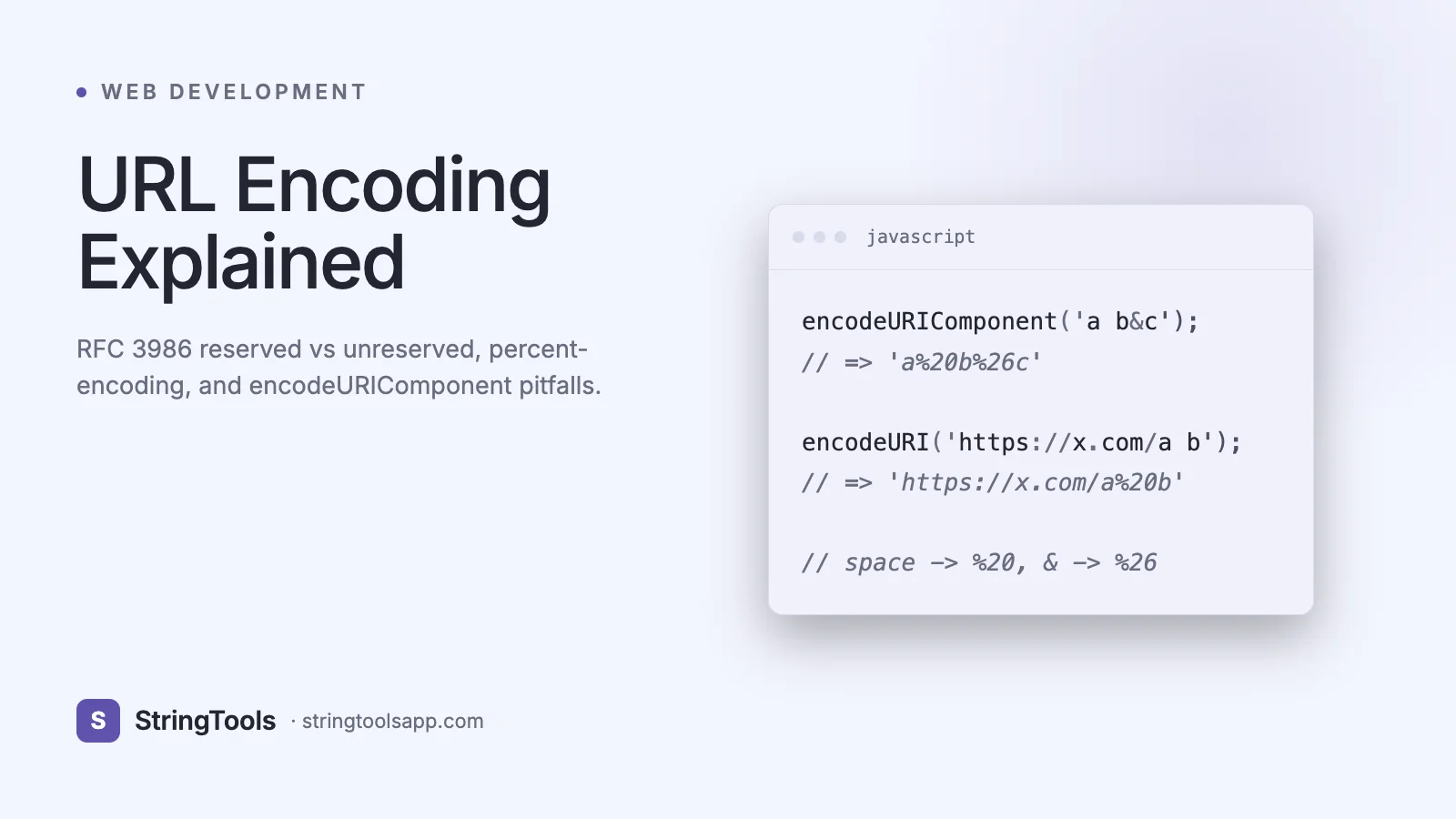
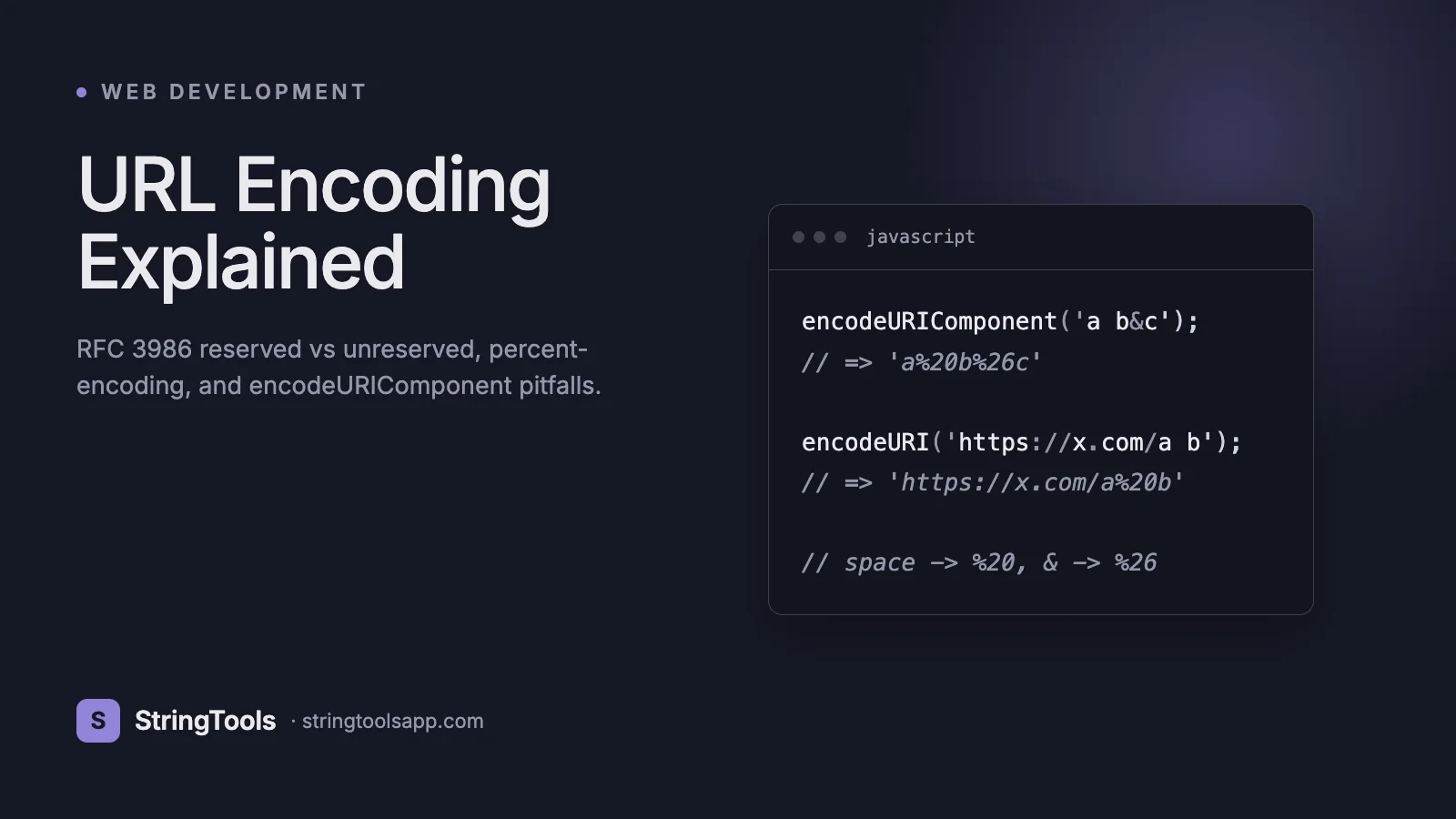
encodeURI is designed for encoding a complete URL. It leaves reserved structural characters alone: : / ? & # = + $ , ; @ ' ( ) ! *. The assumption is that you have an already-assembled URI and want to escape any unsafe characters without breaking the URI structure.
encodeURIComponent is designed for encoding a single component — a query-parameter value, path segment, or fragment. It encodes everything except unreserved characters, including : / ? & # = +.
Use encodeURI when:
const url = encodeURI("https://example.com/search?q=hello world"); // https://example.com/search?q=hello%20world
Use encodeURIComponent when:
const query = "C++ & C#";
const url = https://example.com/search?q=${encodeURIComponent(query)};
// https://example.com/search?q=C%2B%2B%20%26%20C%23
The rule every developer should memorize: when you're building a URL from individual pieces, use encodeURIComponent on every user-supplied piece. Use encodeURI only when you have a trusted, already-structured URL and want to escape the few remaining unsafe characters.
Never use escape() — it is deprecated, handles Unicode incorrectly (it uses %uXXXX syntax instead of UTF-8 percent-encoding), and will silently corrupt non-ASCII input.
Server-Side Encoding: Python, Java, Go
Every major language provides URL encoding, and the naming conventions differ across ecosystems.
Python (urllib.parse):
from urllib.parse import quote, quote_plus, urlencode
# quote: encodes most characters, preserves / by default (like encodeURI) quote("hello world/path") # 'hello%20world/path'
# quote with safe='' encodes everything (like encodeURIComponent) quote("hello world/path", safe="") # 'hello%20world%2Fpath'
# quote_plus: encodes space as + (form encoding) quote_plus("hello world") # 'hello+world'
# urlencode: builds full query strings from dicts urlencode({"q": "C++ & C#", "page": 2}) # 'q=C%2B%2B+%26+C%23&page=2'
Java:
import java.net.URLEncoder; import java.nio.charset.StandardCharsets;
String encoded = URLEncoder.encode("hello world", StandardCharsets.UTF_8); // "hello+world" // NOTE: encodes space as + (form encoding)
Java's URLEncoder is the form-encoding variant and always emits + for spaces. For true percent-encoding (RFC 3986), use java.net.URI or a library like Guava's PercentEscaper.
Go:
import "net/url"
url.QueryEscape("hello world") // "hello+world" // form encoding
url.PathEscape("hello world") // "hello%20world" // RFC 3986 path segment encoding
The form-vs-percent encoding distinction bites every language. Check which variant your framework uses, especially when generating redirect URLs or embedding user input in path segments.
Real-World Use Cases
1. Query parameter encoding. Any value that might contain &, =, +, #, or whitespace needs encoding. Frameworks like Axios, Fetch, and requests handle this when you pass an object (params: {q: 'foo bar'}), but fail when you build the URL by string concatenation.
2. Form submissions. HTML forms with enctype="application/x-www-form-urlencoded" (the default) encode space as + and reserved characters as %XX. Use URLSearchParams or FormData on the client to let the browser handle this.
3. Redirect URLs. OAuth 2.0 flows pass a redirect_uri parameter that itself contains a URL. That inner URL must be fully URL-encoded, which often means double-encoding the inner query string. OAuth libraries handle this correctly; hand-built flows almost never do.
4. Path segments. REST APIs like /users/{id} break when id contains a /. Always encode path variables with encodeURIComponent on the client or PathEscape on the server.
5. Signed URLs. AWS S3 pre-signed URLs, Google Cloud Storage signed URLs, and similar all require canonical RFC 3986 encoding for signature validation. A single mis-encoded byte will fail the signature.
6. Webhooks and callbacks. Any service that sends callbacks with user data in the query string requires strict encoding, and any service receiving callbacks must decode exactly once.
7. Internationalized domain names (IDN). Non-ASCII domains use Punycode (RFC 3492), not percent-encoding. Don't confuse the two — percent-encoding a hostname is always a bug.
Step-by-Step: Encode a URL Safely
1. Identify the component. Is it a scheme, host, path segment, query value, or fragment? Each has slightly different rules, and most libraries offer a function per component.
2. For query parameter values, use encodeURIComponent (JS), quote(s, safe='') (Python), URLEncoder.encode with form semantics (Java). Never manually escape — let the library handle Unicode, edge cases, and consistent output.
3. Assemble the URL. Concatenate encoded pieces into the final URL. Do not re-encode already-encoded pieces.
4. Validate round-trip. Decode the URL back and confirm it matches the original input. If your input was "hello world" and decoding yields "hello world", encoding worked. If decoding yields "hello%20world", you double-encoded.
5. Log the encoded URL. In CI tests, assert the exact encoded form so regressions surface early.
6. Prefer structured APIs. URLSearchParams in the browser and Node, url.parse in Go, urlencode in Python — all handle the mechanics correctly. Hand-built URL construction is where bugs live.
Example of safe query assembly in modern JavaScript:
const params = new URLSearchParams({
q: "C++ & C#",
page: 2,
filter: "active"
});
const url = https://example.com/search?${params.toString()};
// https://example.com/search?q=C%2B%2B+%26+C%23&page=2&filter=active
Common Mistakes and Pitfalls
1. Double encoding. Encoding an already-encoded string produces %2520 (encoded %20). This breaks when the receiver only decodes once. Rule: encode exactly once per hop. If a URL passes through multiple systems (frontend -> CDN -> backend), each hop must not re-encode.
2. Using encodeURI on a query value. encodeURI leaves & and = alone — exactly the characters that break query strings. Use encodeURIComponent for every user-supplied value.
3. Hand-written encoding tables. Developers sometimes implement %XX substitution manually and forget Unicode, non-BMP characters, or the + vs %20 distinction. Always use the platform function.
4. Encoding the wrong component. The path component has different reserved characters than the query. Encoding a / in a path segment is necessary when it is part of the ID; encoding a / at the structural level breaks routing.
5. Assuming space encodes as %20. In application/x-www-form-urlencoded (the HTML form default), space encodes as +. A backend that expects form-encoded data but receives %20 will either handle both (good frameworks) or reject the request (strict frameworks).
6. Forgetting to decode on the receiver. Server frameworks usually decode query parameters automatically — but not body fields, not path variables in some setups, and not headers. Read your framework's documentation to know where you are responsible for decoding.
7. URL-encoding binary data. Never percent-encode arbitrary binary — it bloats 3x on average. Use Base64 or Base64url for binary data in URLs.
Advanced: The Double-Encoding Problem in OAuth and Webhooks
Double encoding is pathological in multi-hop systems. Consider an OAuth 2.0 authorization request:
https://auth.example.com/authorize?redirect_uri=https%3A%2F%2Fapp.example.com%2Fcallback%3Ftoken%3Dabc
The redirect_uri value is itself a URL with its own query string. Inside the outer query, every special character must be encoded — so /, :, ?, and = all become %2F, %3A, %3F, %3D. If you forget to encode the inner URL, the & token=abc portion bleeds into the outer query and is parsed as a top-level parameter of the authorize endpoint.
The general rule: every layer of URL nesting requires exactly one layer of percent-encoding. If you send a URL inside a URL, encode the inner once. If you send it inside a JSON body that happens to travel in a URL, encode it once for the URL only — JSON strings have their own escaping rules.
When debugging, decode step by step. Copy the URL into a decoder, decode once, inspect. Decode again only if the previous decoded output still contains percent sequences. If decoding twice yields a clean URL, you double-encoded on the sending side. If decoding once yields a clean URL, everything is correct.
Signed URLs (AWS, GCP) are especially strict. They canonicalize the request by applying a deterministic percent-encoding before signing. If your client encodes differently (uppercase vs lowercase hex, encodes / vs leaves it, encodes ~), the signature fails. Always use the SDK's built-in signer rather than building signed URLs by hand.
Frequently Asked Questions
What's the difference between %20 and + for a space?
Both represent a space but in different contexts. %20 is the RFC 3986 percent-encoding, valid in any URL component. + is the application/x-www-form-urlencoded representation, used in query strings and HTML form bodies. Most modern parsers accept both interchangeably in the query portion, but only %20 is safe in the path.
Should I encode URLs on the frontend or backend?
Both, at the appropriate boundary. The frontend encodes user input before placing it in a URL. The backend encodes data it controls before generating callbacks or signed URLs. Never re-encode data that arrives already encoded — framework-level parsing has usually decoded query parameters before your handler runs.
Why does encodeURIComponent not encode ~?
Because ~ is explicitly listed as an unreserved character in RFC 3986. The 2005 spec removed it from the reserved set where it had been in older RFCs. Some older server implementations still encode it defensively, but it is not required.
Does URL encoding impact SEO?
Google's crawlers handle percent-encoded URLs correctly. Consistency matters more than style — pick one canonical form for each URL and stick with it. Inconsistency (sometimes /coffee-shops, sometimes /coffee%20shops) can cause duplicate-content issues. Prefer clean paths with hyphens over encoded spaces.
Is URL encoding a security feature?
No. URL encoding is purely a transport concern — it makes special characters traverse URL-parsing infrastructure correctly. It does not authenticate, protect, or hide anything. Sensitive data in URLs is still exposed in server logs, browser history, and Referer headers regardless of encoding. Never rely on encoding for secrecy.
What characters are always safe in a URL without encoding?
The RFC 3986 unreserved set: A-Z a-z 0-9 - _ . ~. Everything else should be encoded when used as data, though some reserved characters (/, :, ?, &, =) can appear unencoded when they serve their structural role.
How do I decode a URL in JavaScript?
Use decodeURIComponent for a single component value and decodeURI for a full URL. They reverse their respective encoding functions. Both throw a URIError on malformed input (orphan %, invalid UTF-8 sequences), so wrap in try/catch when the input is untrusted.
Conclusion: Encode Once, Decode Once, at the Right Boundary
URL encoding is the boring, fundamental mechanic that keeps every URL-based system working. Get it right by using the platform-provided functions, choosing the correct variant (encodeURIComponent for values, encodeURI for full URLs, form-encoding for HTML forms), avoiding double encoding, and logging the exact encoded form in your tests.
The mental model: percent-encoding is exactly one layer of escaping applied at exactly one boundary. Every hop either encodes or decodes, never both, never neither.
Try the StringTools URL Encoder/Decoder at https://stringtoolsapp.com — it handles both RFC 3986 percent-encoding and form encoding, runs entirely in your browser, and shows you byte-level output for debugging signed URLs and OAuth callbacks.