
The Word Count Question Every Content Team Gets Wrong
Ask ten marketers how long a blog post should be and you will get ten different answers. 500 words? 1500? 3000? 10000? The disagreement is not because the question is unanswerable — it is because most answers ignore context.
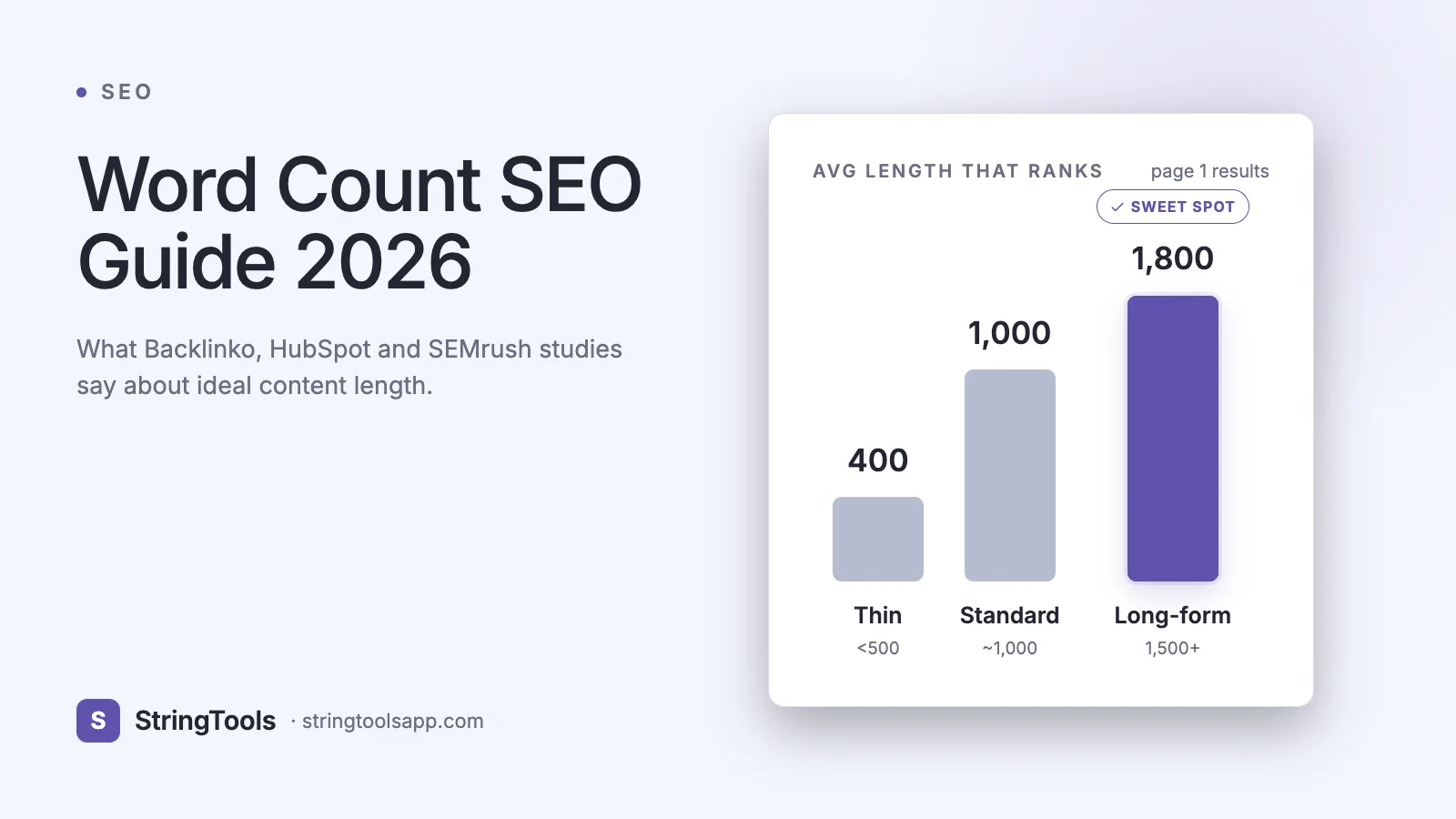
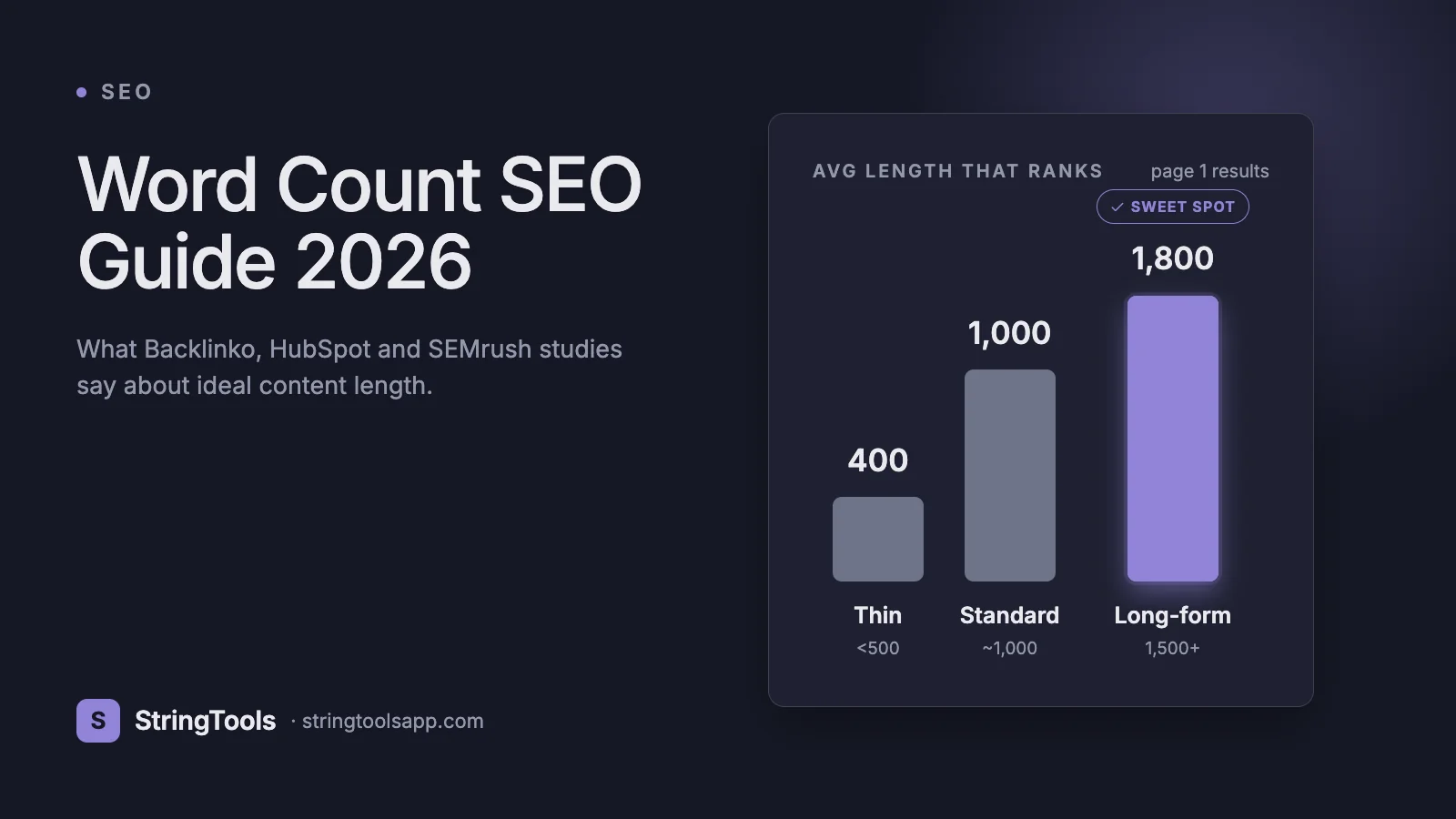
Word count matters for SEO, but not in the linear way LinkedIn hot takes suggest. Google own 2023 Search Essentials guidelines state length is not a ranking factor directly. Yet Backlinko analysis of 11.8 million search results found that the average first-page result contains 1,447 words. HubSpot found posts over 2,500 words generate 5x more leads than posts under 1,000. SEMrush analyzed 700,000 articles and reported that content between 3,000 and 7,000 words earns 4x more traffic and 3x more shares than the 901-to-1,200 bucket.
How do we reconcile Google saying it does not matter with studies showing that longer almost always wins? The answer is the concept of search intent completeness. Google ranks the result that most thoroughly satisfies what the user is looking for. For most competitive queries, that completeness requires more words — but only if those words add information, not filler.
This guide gives you the real data, not the cliches. You will learn what word count ranges actually correlate with rankings for each content type, how to match length to search intent, how featured snippets favor short direct answers inside long articles, and how to measure whether your content length is working. By the end, you will stop guessing and start writing the right length for each piece.
What Is Word Count SEO Really About?
Word count SEO is the practice of choosing content length to match the depth a search query requires. It is not about hitting an arbitrary number.
Google ranking algorithm evaluates content against hundreds of signals, but the ones that correlate most strongly with content length are:
- Information gain — does your page add new information beyond what competitors already rank for?
- Dwell time — how long users stay once they click through from search
- Bounce rate — how often they return to search within seconds
- Depth of coverage — how many related subtopics and entities the page covers
Longer content tends to score higher on all four, not because Google counts words but because thorough coverage naturally produces more words. A page answering what is bitcoin will be hundreds of words. A page answering how does bitcoin mining work will be thousands, because the topic demands it.
Think of word count as a symptom of good content, not a cause of good rankings. The studies that show longer posts ranking better measured a correlation. The causation is: high-quality, thorough content tends to be long, and it tends to rank. Pad a thin article to 3,000 words and Google will see through it — its BERT and now MUM language models evaluate semantic depth, not just token count.
The Data: Real Studies on Word Count and Rankings
Five studies have shaped the industry consensus on content length. Here is what each actually found.
Backlinko 2020 ranking factors study (Brian Dean, 11.8 million Google results analyzed): the average top-10 result was 1,447 words. The curve flattens after 2,000 — going from 2,000 to 3,000 did not significantly improve rank position.
HubSpot 2021 content study (6,000 of their own posts): the sweet spot for organic traffic was 2,100-2,400 words. Posts under 1,000 words earned 30% of the traffic of posts over 2,000.
SEMrush 2019-2021 longitudinal study (700,000 articles): content between 3,000-7,000 words earned the most organic traffic, 4x more than posts in the 901-1,200 range. The same posts earned 3x more social shares.
Ahrefs 2020 traffic study (2 million pages): there was no direct correlation between word count and traffic. Pages between 2,000-2,500 words did the best, but the top-performing 10% of pages varied wildly in length.
Clearscope 2022 competitive analysis (meta-analysis of 150 competitive keywords): the top-ranking page was within 10% of the average length of the top 10 for that query in 82% of cases. In other words, match the competition.
Synthesizing these: for most informational queries, 1,500-2,500 words is a safe target. For competitive commercial queries, 2,500-4,000 wins more often. For query-specific decisions, look at what ranks in the top 10 today and match that range. Writing radically shorter is usually a mistake; writing radically longer wastes effort.
Ideal Word Count by Content Type
Content length should match content purpose. Here are defensible ranges based on the studies above plus practitioner consensus.
Content type — Target range • Rationale Blog post (informational) — 1,500-2,500 words • Matches Backlinko and HubSpot sweet spots Blog post (competitive, evergreen) — 2,500-4,000 words • Needed to outrank established sources Landing page (product) — 500-1,500 words • Balance clarity and conversion; too long hurts bounce Landing page (SaaS homepage) — 800-2,000 words • Multiple sections, features, social proof E-commerce product page — 300-800 words • Unique product description plus reviews Category page — 400-600 words • SEO intro above the fold plus product grid How-to guide — 2,000-3,000 words • Step-by-step requires depth Tutorial with code — 1,800-3,500 words • Code blocks add length naturally News article — 400-800 words • Recency matters more than depth Case study — 1,000-2,000 words • Specific data plus narrative Documentation page — 500-2,000 words • Depends on API surface Comparison post (X vs Y) — 2,000-3,500 words • Needs feature-by-feature coverage Listicle — 1,500-3,000 words • 10-20 entries at 100-200 words each Pillar page — 3,000-8,000 words • Comprehensive topic coverage with internal links Glossary entry — 200-400 words • Definition plus one example
Use these as starting points, then calibrate against the top 10 results for your target query. If every ranking page is 1,200 words, writing 3,500 will not automatically win — Google sees the consensus and reads longer content as over-elaboration.
E-E-A-T and Content Depth: Why Length Often Signals Quality
Google 2023 Quality Rater Guidelines emphasize E-E-A-T: Experience, Expertise, Authoritativeness, Trustworthiness. Raters (who train but do not directly influence the ranking algorithm) evaluate whether content demonstrates first-hand knowledge.
E-E-A-T does not explicitly mention word count. But in practice, demonstrating experience takes words. A five-paragraph article on tax software cannot show the nuance of three years actually using it. A 2,500-word article with specific anecdotes, real numbers, and hands-on observations can.
High-E-E-A-T signals that correlate with longer content:
- Specific numbers (we saved 23% versus it saves money)
- Named tools and versions (tested on Ahrefs site audit March 2026)
- Screenshots and original images (each adds context that words cannot)
- Author bio with relevant credentials
- Published and updated dates
- Internal links to related content on the same site (signals topical authority)
- Citations to authoritative external sources (signals trustworthiness)
You cannot cheat E-E-A-T with length. Raters and Google helpful content system penalize pages that appear comprehensive but lack substance. The 2024 Helpful Content Update devastated sites that had gamed length without gaining expertise.
The right framing: write as long as the topic deserves and your actual expertise supports. If you have only 400 words of genuine insight on a topic, do not pad to 2,500. Pick a narrower angle where you have more to say.
Matching Word Count to Search Intent
Search intent is the why behind a query. Google classifies queries into four main types, and each has a natural length range.
Informational (what is X, how does X work) — user wants to learn. Target 1,500-3,000 words. Cover definition, mechanism, examples, edge cases, FAQ. Google displays featured snippets heavily for these.
Navigational (github login, facebook settings) — user wants to reach a specific site. Length does not matter much; Google often shows a brand knowledge panel. Do not write 2,000 words about navigating to your own site — write a focused 300-word landing page.
Commercial investigation (best CRM for small business, Notion vs Roam) — user is evaluating options. Target 2,000-4,000 words. Cover feature comparisons, pricing, use cases, real user reviews. These queries generate the highest affiliate and lead-gen revenue, and competition rewards depth.
Transactional (buy running shoes, CRM free trial) — user is ready to convert. Target 500-1,500 words. Clear product information, trust signals, frictionless CTAs. Too much text obscures the action.
How to identify intent for a query:
1. Google the query in an incognito window. 2. Look at the top 5 results. Are they articles, comparison pages, product pages, or forums? 3. Check the SERP features. Featured snippet? Shopping ads? People Also Ask? Video carousel? Each tells you what Google thinks satisfies the query. 4. Mirror the format and depth that dominates.
Mismatching intent is the fastest way to waste SEO effort. A 3,000-word guide will not rank for a query where Google is already showing 500-word product pages — and vice versa.
Step-by-Step: Deciding Word Count for a New Article
1. Define the primary keyword. One query, the one you want to rank for. All length decisions flow from this.
2. Google the query. Open the top 10 results in new tabs.
3. Copy each top result into a word counter. Tools like the StringToolsApp Word Counter at https://stringtoolsapp.com/word-counter give you an instant count. Do this for every result, not just the first. Write down the range.
4. Calculate the median length. If the top 10 range from 1,200 to 4,800 with a median of 2,100, target 2,100-2,500. Aim for the middle of the range, not the extremes.
5. Analyze the structure. How many H2s? How many H3s? Does each top result cover the same subtopics? Note what is shared and what is missing.
6. Identify information gap. What do none of the top 10 cover well? Your opportunity for information gain.
7. Draft an outline with section-level word targets. A 2,500-word article might allocate: intro 200, what is X 300, how it works 400, use cases 400, step by step 400, mistakes 300, best practices 300, FAQ 500, conclusion 100. Writing to section targets prevents front-loading.
8. Write the draft without obsessing over total count.
9. Recount after editing. Cut ruthlessly. A tighter 2,000-word article beats a padded 3,000-word one every time.
10. Publish and measure. In 30 days, check Google Search Console — are impressions growing? Is average position improving? If yes, length was right. If no, revisit content depth, not just length.
Writing for Featured Snippets Inside Long Articles
Featured snippets (position zero results) have their own length rules. They appear in about 12% of search results as of 2024 (Ahrefs data) and drive 8-19% of clicks depending on category.
The winning snippet format:
Paragraph snippets — 40-60 words, directly answering a question. Placed right after the H2 that matches the query.
List snippets — 4-8 items, each under 20 words. Numbered for how-to; bulleted for unordered.
Table snippets — simple 2-3 column comparison, under 10 rows.
Key tactics:
1. Put the direct answer in the first 60 words after the heading. Google scans the top of each section for snippet candidates.
2. Use the query as the heading. If users search how long should a blog post be, include an H2 that says How long should a blog post be? word-for-word.
3. Repeat the key term in the first sentence of the answer. A blog post should be... begins an ideal paragraph snippet answering that query.
4. Use structured HTML (ol, ul, table). Google extracts these cleanly.
5. Include the snippet inside a longer article. Google rarely ranks a 500-word page for a snippet-worthy query. The featured snippet lives inside a comprehensive 2,000+ word piece.
The pattern: write long for ranking, write tight for featured-snippet extraction, and structure both together on one page.
Beyond Length: What Actually Drives Rankings
Length is one signal among many. Here is what else matters, in rough order of importance for competitive queries.
1. Content quality and originality. Original research, data, and first-hand experience outperform aggregated summaries.
2. Search intent match. Does the page format match what Google is already rewarding?
3. Topical authority. Does your site cover this topic cluster comprehensively? A single post on a topic on an otherwise unrelated site rarely ranks.
4. Backlinks. High-quality domain links still move the needle more than length.
5. On-page structure. Clear H1, semantic H2/H3 hierarchy, scannable formatting.
6. Page speed and Core Web Vitals. LCP under 2.5s, INP under 200ms, CLS under 0.1. Google made these ranking factors in 2021 (Page Experience Update).
7. Internal linking. Links from related pages on your own site distribute authority.
8. Freshness. For some queries (news, annual guides), recent content outranks older pieces regardless of depth.
9. Click-through rate from SERPs. A compelling title and meta description that earn clicks signals Google that users find the result valuable.
10. Dwell time. Users who stay and read signal relevance.
Doubling your word count while ignoring these other signals is rarely the highest-ROI move. If your content length is already close to competitors, focus on information gain, link building, and structure before adding more words.
Measuring Whether Your Content Length Is Working
After publishing, track these metrics in Google Search Console and your analytics over 30-90 days.
Impressions — how often your page shows in SERPs. Growing means Google is indexing and ranking it for more queries.
Average position — where you rank on average across queries. Moving from position 15 to position 8 is a clear win.
Click-through rate (CTR) — percentage of impressions that become clicks. Low CTR (under 2% for position 1-5) signals the title or meta description is not earning clicks.
Dwell time — measured in GA4 as engaged sessions. For long content, aim for 2+ minute average. Under 30 seconds means people bounce.
Scroll depth — what percentage of users reach key sections. Most analytics tools (GA4, Hotjar, Microsoft Clarity) show this. If 80% of users never scroll past 25%, your intro is too long or your content not compelling.
Keyword count — the total unique queries ranking for the page. Long comprehensive articles naturally rank for hundreds or thousands of long-tail queries. Short thin articles rank for one or two.
Backlinks earned — organic backlinks are both an input (ranking factor) and an output (signal of content value). Track with Ahrefs, Semrush, or Google Search Console link report.
If after 60-90 days a page is not ranking in the top 30 for its target keyword, the fix is rarely just add more words. More often the fix is: sharpen the angle, add original data, improve internal linking, or target a less competitive variant.
Frequently Asked Questions
Is 1,000 words enough to rank on Google?
Sometimes. For low-competition long-tail queries (how to fix XYZ error on Ubuntu 24.04), 800-1,200 focused words can rank. For competitive head terms (best CRM software), 2,500+ is usually needed. Always check the current top 10 to calibrate.
Does Google penalize thin content?
Yes. The 2011 Panda update and subsequent Helpful Content updates (including the 2024 refresh) specifically target thin, low-value content. Thin is defined not by word count but by lack of substance — a 2,000-word article with no useful information is thin.
Is there such a thing as too long?
Yes. Content that exceeds what the query requires signals bloat. A 5,000-word article for a query whose top 10 average 800 words will likely underperform. Respect the user intent — write until you have answered the question thoroughly and stop.
How do I count words accurately?
Use a reliable word counter. Microsoft Word and Google Docs differ by a few percent depending on how they handle hyphens and numbers. For consistency, use one tool. The StringToolsApp Word Counter at https://stringtoolsapp.com/word-counter matches Google Docs counting and runs entirely in-browser with no upload.
Should I pad my article to hit a target?
No. Padding hurts. If you feel the need to pad, either the topic is too narrow or you do not have enough expertise yet. Pick a broader angle, do more research, or publish shorter and plan a more comprehensive version later.
Do H2 and H3 headings affect rankings?
Indirectly, yes. Clear heading hierarchy improves dwell time and enables featured snippet extraction, both ranking signals. Use one H1, multiple H2s matching searcher-intent questions, and H3s for subsections. Avoid skipping levels (H1 directly to H3).
How often should I update long content?
Evergreen content should be revisited every 6-12 months. Update statistics, add recent studies, remove outdated sections, and publish the update date. A refresh alone (no URL change) often boosts rankings because Google re-crawls and sees new content.
Does word count matter for mobile SEO?
No — Google uses the same content for mobile and desktop rankings since switching to mobile-first indexing in 2018. What matters for mobile is readability: short paragraphs, clear headings, scannable structure. A 3,000-word article broken into 30 short sections reads well on mobile. The same 3,000 words in 5 giant paragraphs does not.
Key Takeaways
Word count is a symptom of content quality, not a cause of rankings. The studies that correlate length with top positions measure completeness, not padding. Google evaluates semantic depth via BERT and MUM, not token count.
The defensible rule for 2026: for informational and competitive commercial queries, target 1,500-3,000 words and calibrate against the top 10 median. For transactional and navigational queries, stay short and focused. For every piece, match search intent first and optimize length second.
The habits that separate ranking content from ignored content: research the top 10 before writing, build an outline with section targets, include a direct answer in the first 60 words after each H2 for featured snippet capture, cite specific data, and measure performance in Search Console for 90 days before deciding whether the length was right.
Ready to audit your own content? Paste your draft into the StringToolsApp Word Counter at https://stringtoolsapp.com/word-counter — it shows word count, reading time, character count with and without spaces, and sentence count, all in-browser with no upload.