
Decode a JWT in Three Steps
To decode a JWT, split the string on its two full stops, then base64url-decode the first two segments and parse each result as JSON. The header and payload are plain text; only the third segment, the signature, stays opaque. Decoding reveals every claim in the token but proves nothing at all about who issued it.
Key Takeaways
- A JWT is three base64url segments joined by dots. One and two are JSON; three is raw signature bytes.
- Base64url is not base64. It uses
-and_where base64 uses+and/, and JWT strips the trailing=padding, per RFC 7515. - The missing padding is where naive decoders break. Restore it with
pad = (4 - len % 4) % 4before any strict decoder sees the segment. - Decoding needs no key; verifying needs the key. Anyone holding the token can read it, so a payload is never a place for anything secret.
- Node handles it all with
Buffer.from(seg, "base64url"); Python needs padding added; the browser needsTextDecoderor non-ASCII claims come back mangled. - The JWT decoder does this in the page, offline, and tells you plainly that it has verified nothing.
The Three Segments, and What Each Is Worth
A JWT is a simple container: three base64url blobs separated by two . characters. The specification is RFC 7519; the compact serialisation is defined in RFC 7515.
Split on the dots:
| Segment | Contains | Readable without a key? | Trustworthy without the key? |
|---|---|---|---|
| 1 - Header | JSON: alg, typ, sometimes kid | Yes | No. Attacker-controlled - never read alg to decide how to verify |
| 2 - Payload | JSON: the claims the issuer chose to put there | Yes | No. A claim, not a fact, until the signature checks out |
| 3 - Signature | Raw bytes over segments 1 and 2 | Decodes to bytes, nothing human-readable | Only when recomputed with the correct key |
Two things follow from that table. First, reading a JWT is trivial: it is an encoding, not a cipher, so if you can see the token you can see the claims. Second, and far more important, reading a JWT tells you what the token says about itself, which is a completely different thing from knowing that any of it is true. A payload containing "role":"admin" is not an admin credential; it is a string claiming to be one. Only a signature check with a key you hold and the attacker does not separates the two.
Base64url: The Alphabet and the Missing Padding
Standard base64 maps six-bit groups onto A-Z, a-z, 0-9, then + and /. Those last two are hostile in a URL: + means a space in application/x-www-form-urlencoded, and / splits a path. RFC 4648 section 5 therefore defines a second alphabet, "base64url". Only three things change:
| Six-bit value | Standard base64 | Base64url |
|---|---|---|
| 62 | + | - |
| 63 | / | _ |
| padding | = | omitted entirely in JWT |
Two characters, which is why the bug is so persistent: most tokens decode fine, and then one does not. Values 62 and 63 need six consecutive one-bits, which almost never happens in ASCII JSON but happens constantly in the pseudo-random bytes of a signature. Across a 43-character HS256 signature, roughly three tokens in four contain at least one - or _. Your header and payload may look clean for months; your signature will not.
The padding arithmetic
Base64 turns three bytes into four characters. When the input is not a multiple of three bytes the last group is short, and standard base64 pads it with = so the string is always a multiple of four characters. JWT throws that padding away; strict decoders want it back. The rule is one line: pad = (4 - len % 4) % 4.
Worked through on a real token - header {"alg":"HS256","typ":"JWT"}, payload carrying sub, name, admin, iat and exp:
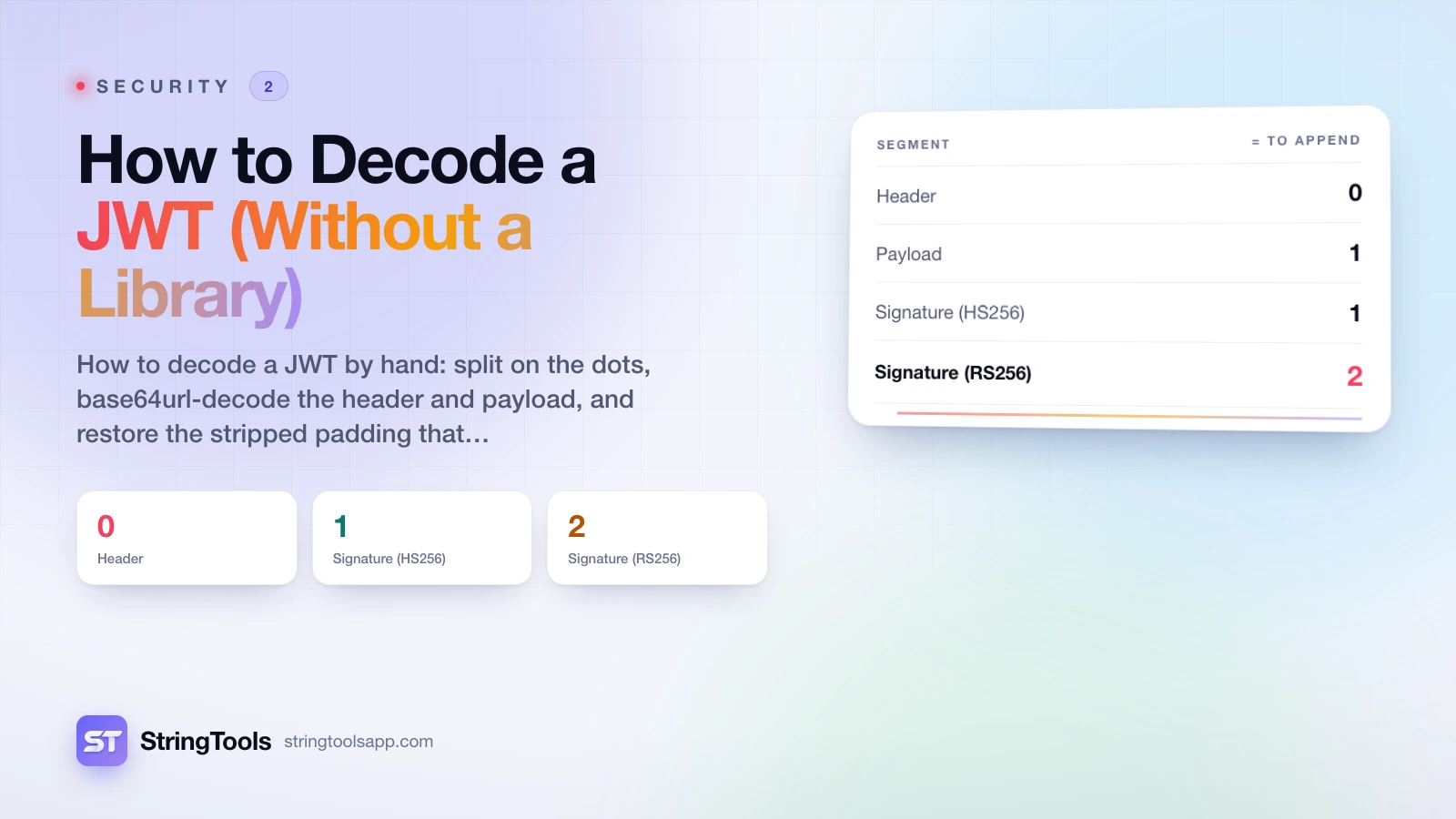
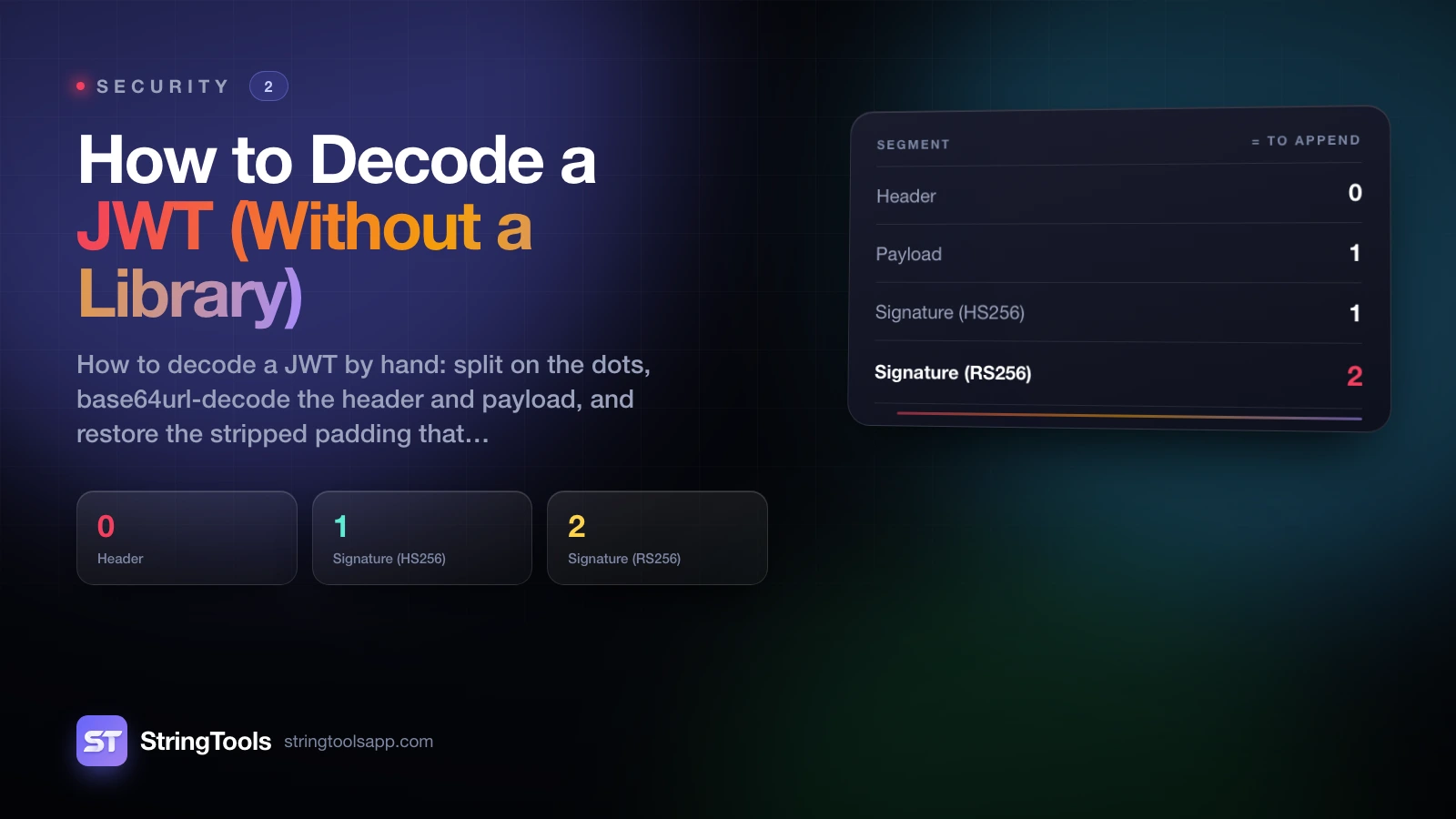
| Segment | Bytes | Base64url chars | len mod 4 | = to append |
|---|---|---|---|---|
| Header | 27 | 36 | 0 | 0 |
| Payload | 89 | 119 | 3 | 1 |
| Signature (HS256) | 32 | 43 | 3 | 1 |
| Signature (RS256) | 256 | 342 | 2 | 2 |
Only three remainders are possible. A length of 4n+0 needs no padding, 4n+3 needs one =, and 4n+2 needs two. A length of 4n+1 is impossible in valid base64, because a single leftover character cannot encode even one byte - so if you ever see it, the token was truncated in transit. That is a free validity check before you decode anything.
The HS256 row is worth memorising: an HMAC-SHA-256 signature is always 32 bytes and always 43 characters. A 342-character third segment means RS256 instead, which is a different discussion - see HS256 vs RS256.
Decoding by Hand on the Command Line
The obvious attempt is to cut the second field and pipe it into base64 -d. On macOS you get this back:
{"sub":"1234567890","name":"José Muñoz","admin":true,"iat":1516239022,"exp":151624262
Look at the end. The last two characters, 2}, are missing - the exp value should read 1516242622. The command exited 0 and nothing warned you: BSD base64 decoded as many complete four-character groups as it could and silently dropped the three-character remainder, because without padding it had no way to know the tail was meaningful. Pipe that into jq and you get a parse error you will spend ten minutes blaming on jq.
Restore the padding first and it is correct:
S=$(cut -d. -f2 <<<"$JWT"); P=$(( (4 - ${#S} % 4) % 4 )); printf '%s%*s' "$S" "$P" '' | tr ' ' '=' | tr '_-' '/+' | base64 -d
The printf '%s%*s' pads to the right width with spaces and tr turns those into =. It reads oddly but it is correct for P of 0, 1 and 2. Resist the more elegant-looking printf '=%.0s' $(seq $P): when P is zero, seq produces no arguments, printf runs its format string once anyway, and you get a stray = on a segment that needed none.
The tr '_-' '/+' translates the alphabet back. As it happens macOS base64 accepts - and _ without complaint, so you can get away with omitting it on a Mac. Do not - other implementations are less forgiving, and a script that works on your laptop and fails in CI is worse than one that fails everywhere.
Change -f2 to -f1 for the header. There is no point decoding -f3: it is 32 bytes of digest, and xxd is the only sensible destination for it.
If a runtime is to hand, node -e or python3 -c is shorter and less error-prone than any of this.
The Same Job in Node, Python and the Browser
Every runtime has a one-liner. They differ in how much of the base64url handling they do for you.
| Runtime | Expression | -_ alphabet | Missing padding |
|---|---|---|---|
| Node 16+ | Buffer.from(seg, "base64url").toString("utf8") | Handled | Handled |
| Python 3 | base64.urlsafe_b64decode(seg + "=" * (-len(seg) % 4)) | Handled | **You add the =** |
| Browser | atob(seg.replace(/-/g, "+").replace(/_/g, "/")) | You translate | Tolerant, but pad anyway |
| Shell | tr the alphabet, append =, then base64 -d | You translate | **You add the =** |
Node
Buffer.from(seg, "base64url") is the only complete option in that table: the base64url encoding, documented in the Node Buffer docs, translates the alphabet and tolerates the missing padding. A whole token in one line: token.split(".").slice(0,2).map(s => JSON.parse(Buffer.from(s, "base64url"))).
Python
base64.urlsafe_b64decode fixes the alphabet but is strict about length: hand it an unpadded segment and you get binascii.Error: Incorrect padding. The idiom, using a negative modulo so the zero case costs nothing, is base64.urlsafe_b64decode(seg + "=" * (-len(seg) % 4)).
Reach for plain base64.b64decode and you have a nastier problem: by default it discards characters outside the standard alphabet rather than rejecting them. base64.b64decode("--__AAAA") returns three bytes; base64.urlsafe_b64decode("--__AAAA") returns six. No exception, no warning, just silently wrong output. The Python base64 docs describe the validate flag that turns this into an error, but the real fix is to use the urlsafe function.
The browser
atob returns a "binary string": one JavaScript character per byte, each in the range 0-255. That is not text. If any claim holds a character outside ASCII you get mojibake - a payload containing "name":"José Muñoz" comes back from atob as "name":"José Muñoz", because the two UTF-8 bytes of é were each promoted to their own character.
Convert to bytes and decode properly instead: new TextDecoder().decode(Uint8Array.from(atob(b64), c => c.charCodeAt(0))) returns José Muñoz. See TextDecoder on MDN. Skip this step and your decoder is quietly broken for every user whose name is not spelled in plain ASCII - which is why so many hand-rolled parseJwt helpers copied off forums are subtly wrong.
Decoding Is Not Verification
Everything above is available to anyone who can see the token; no secret is involved at any point. Base64url is a transport encoding chosen so the token survives URLs and HTTP headers intact - not encryption, not obfuscation, never intended to hide anything. The encoding side of that is covered in Base64 encoding explained.
Be precise about the threat model:
- What decoding tells you: what the issuer, or someone pretending to be the issuer, wrote into the token.
- What decoding does not tell you: whether the token was issued by anyone you trust, whether it has been altered, whether it has expired, whether it was meant for your service, or whether it was stolen from someone else.
Only recomputing the signature with the correct key answers the first two. Only checking exp, aud and iss afterwards answers the rest - and checking them first is worthless, because an attacker can write whatever they like into an unverified payload.
Three consequences:
Never make an authorisation decision from a decoded payload. If your code reads role or user_id from a token it has not verified, an attacker edits those fields, re-encodes two base64url segments, and is done. No tooling required.
Never put anything confidential in a payload. Internal IDs, email addresses, permission structures and feature flags are readable by the end user and by anything that logs the header. Private data belongs on the server behind an opaque session identifier, or in a JWE.
**Never trust the header's alg to choose your verification path.** The header is attacker-controlled, and letting it select the algorithm is the root of the algorithm-confusion family of bugs. Pin the algorithm you expect, out of band. The OWASP Cheat Sheet Series documents the class, and JWT tokens explained covers the historical alg: none failures.
The JWT decoder here is built around this distinction: it decodes entirely in your browser, nothing is uploaded, and it never claims to have verified anything, because it has no key and could not. And treat any token you paste into a shared terminal, a chat message or a bug report as burned - a JWT is a live credential until it expires.
Reading the Payload Once It Is Open
Most of what you find will be registered claims - RFC 7519 defines seven, and the full public list lives in the IANA JWT claims registry.
| Claim | Name | What to check |
|---|---|---|
iss | Issuer | Exactly matches an issuer you trust |
sub | Subject | A stable user ID, not a re-assignable email |
aud | Audience | Contains your service - a token for another service is not one for you |
exp | Expiration | Unix seconds, in the future, allowing small clock skew |
nbf | Not before | Unix seconds, in the past |
iat | Issued at | Unix seconds - useful for your own max-age policy |
jti | JWT ID | Unique; the hook for replay detection and revocation |
The three time claims are Unix timestamps in seconds, not milliseconds. Compare exp against Date.now() without dividing by 1,000 and every token looks as though it expired in 1970 - the most common decoding-adjacent bug there is. The timing claims get their own treatment in exp, iat and nbf explained.
Everything else is a private claim the issuer invented. There is no schema and no guarantee any of it is present, so read defensively.
A Diagnostic for When Decoding Fails
Decoding is simple enough that failures fall into a handful of buckets. This is the order worth checking them in.
| Symptom | Almost always means | Fix |
|---|---|---|
Incorrect padding / invalid input | Unpadded segment, strict decoder | Append (4 - len % 4) % 4 = characters |
| JSON truncated mid-value | Lenient decoder dropped the unpadded tail group | Same fix - and note the exit code lied |
Invalid character, third segment only | - or _ hit a standard-alphabet decoder | Translate - to + and _ to / first |
Accents arrive as é, ñ | atob output used directly as text | Wrap in TextDecoder over a Uint8Array |
| Segment length is 4n+1 | Truncated in transit | Check whatever carried it: length cap, logger, form field |
Splitting on . gives 5 parts | It is a JWE, not a JWS | Encrypted. You need a key to read it at all |
| Splitting gives 2 parts or an empty third | An unsecured JWT, alg: none | Reject it outright |
| Decodes cleanly, server rejects it | Your decoding is fine | Signature, exp, aud or iss failed - decoding could never tell you which |
That last row is where this article closes, because it is the one people misread most often. A token that decodes perfectly is not a token that works.
The whole of a JWT's security lives in a signature check you cannot perform without the key. Decoding is a debugging aid: it tells you what a token claims, so you can see whether the issuer put in what you expected. That is genuinely useful, and it is all it is. The moment a decoded value influences what your code permits, you have stopped debugging and started trusting a string that anyone could have written.
Frequently Asked Questions
Can you decode a JWT without the secret key?
Yes, completely. The header and payload are base64url-encoded JSON, not encrypted, so anyone holding the token can read every claim in it with no key at all. The key is required only to verify the signature - that is, to establish that the token came from the issuer you expect and has not been altered since. This is the single most important thing to understand about JWTs: readable and trustworthy are unrelated properties.
Why does my JWT fail to decode with an "Incorrect padding" error?
Because JWT strips the trailing = padding that base64 normally uses, and strict decoders such as Python's base64.urlsafe_b64decode refuse input whose length is not a multiple of four. Add the padding back before decoding: pad = (4 - len(seg) % 4) % 4, or equivalently seg + "=" * (-len(seg) % 4). If a segment's length is 4n+1 no amount of padding will help - that length is impossible in valid base64, so the token itself was truncated.
What is the difference between base64 and base64url in a JWT?
Two characters and the padding. Standard base64 uses + for value 62 and / for value 63; base64url uses - and _ instead, so the string survives being placed in a URL or an HTTP header. JWT additionally omits the trailing = padding. Everything else - the alphabet's first 62 characters, the three-bytes-to-four-characters grouping, the roughly 33% size overhead - is identical.
How do I decode a JWT in the browser without a library?
Translate the alphabet, then decode as UTF-8 rather than as a binary string: new TextDecoder().decode(Uint8Array.from(atob(seg.replace(/-/g, "+").replace(/_/g, "/")), c => c.charCodeAt(0))), then JSON.parse the result. The TextDecoder step is not optional. Using atob output directly as text turns any multi-byte UTF-8 character into mojibake, so a name like José renders as José. Most hand-rolled parseJwt snippets found in forum answers skip this.
Is it safe to paste a JWT into an online decoder?
Treat it exactly as you would treat pasting a password. A JWT is a live bearer credential until it expires, so anyone who obtains it can use it. Prefer a decoder that runs entirely in your browser with nothing sent to a server - the JWT decoder here works that way - and prefer decoding locally with node -e or python3 -c for a production token. If you have already pasted a real token somewhere you do not control, revoke or rotate it.
Why can't I decode the third segment of a JWT?
You can decode it, but there is nothing readable inside. The third segment is not JSON - it is the raw bytes of a signature over the first two segments. For HS256 that is a 32-byte SHA-256 HMAC, which is why the segment is always 43 base64url characters. Decoding it gives you 32 bytes of digest. The only useful thing to do with it is recompute the signature with the key and compare, which is verification, not decoding.
Sources and references
RFC 7515 (datatracker.ietf.org) · RFC 7519 (datatracker.ietf.org) · RFC 4648 (datatracker.ietf.org) · Node Buffer docs (nodejs.org) · Python base64 docs (docs.python.org) · TextDecoder on MDN (developer.mozilla.org) · OWASP Cheat Sheet Series (cheatsheetseries.owasp.org) · IANA JWT claims registry (iana.org). Content was reviewed against these sources as of the last-updated date above; external figures and rules may change after publication.