
The One Operation That Gets This Right
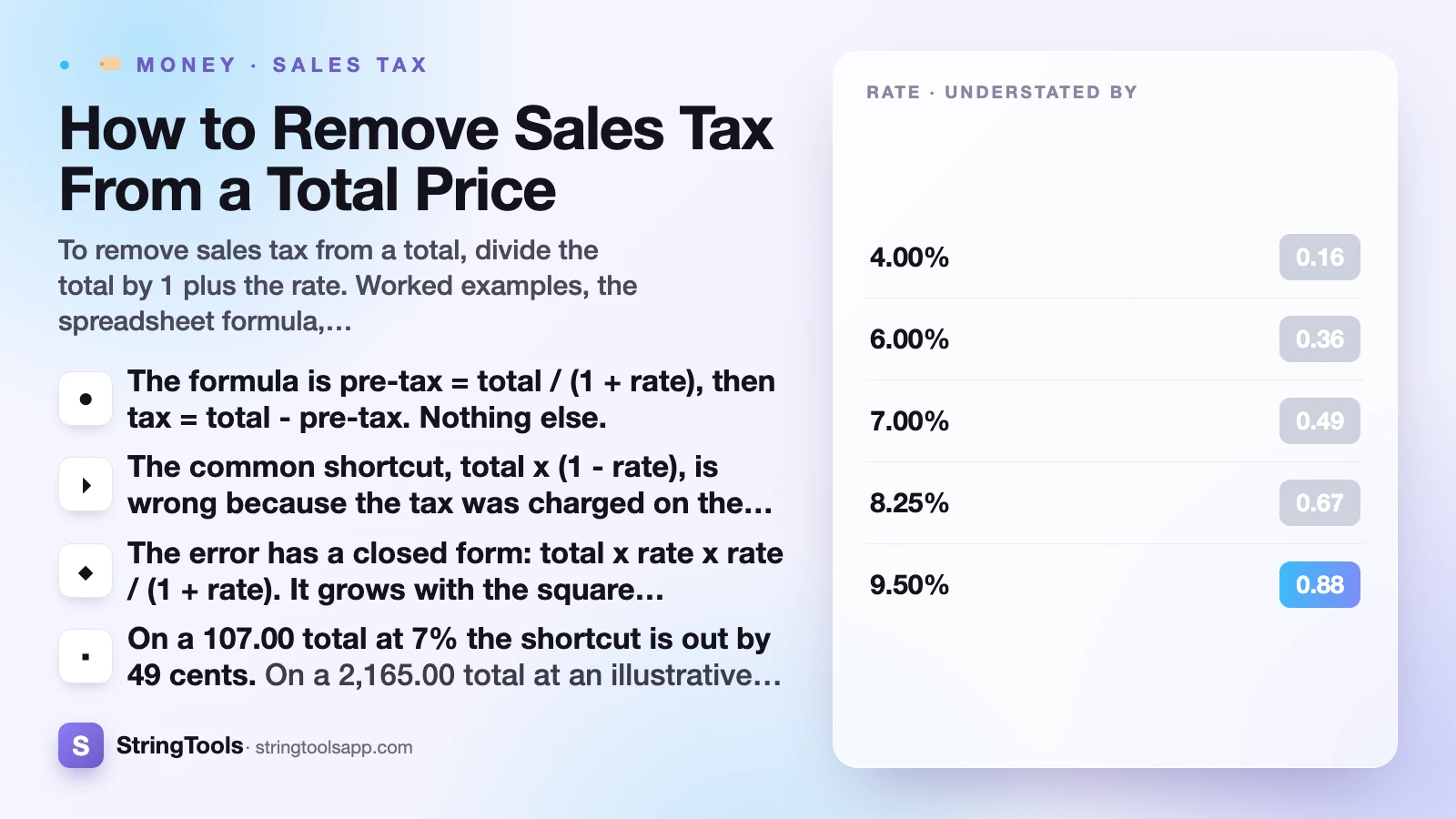
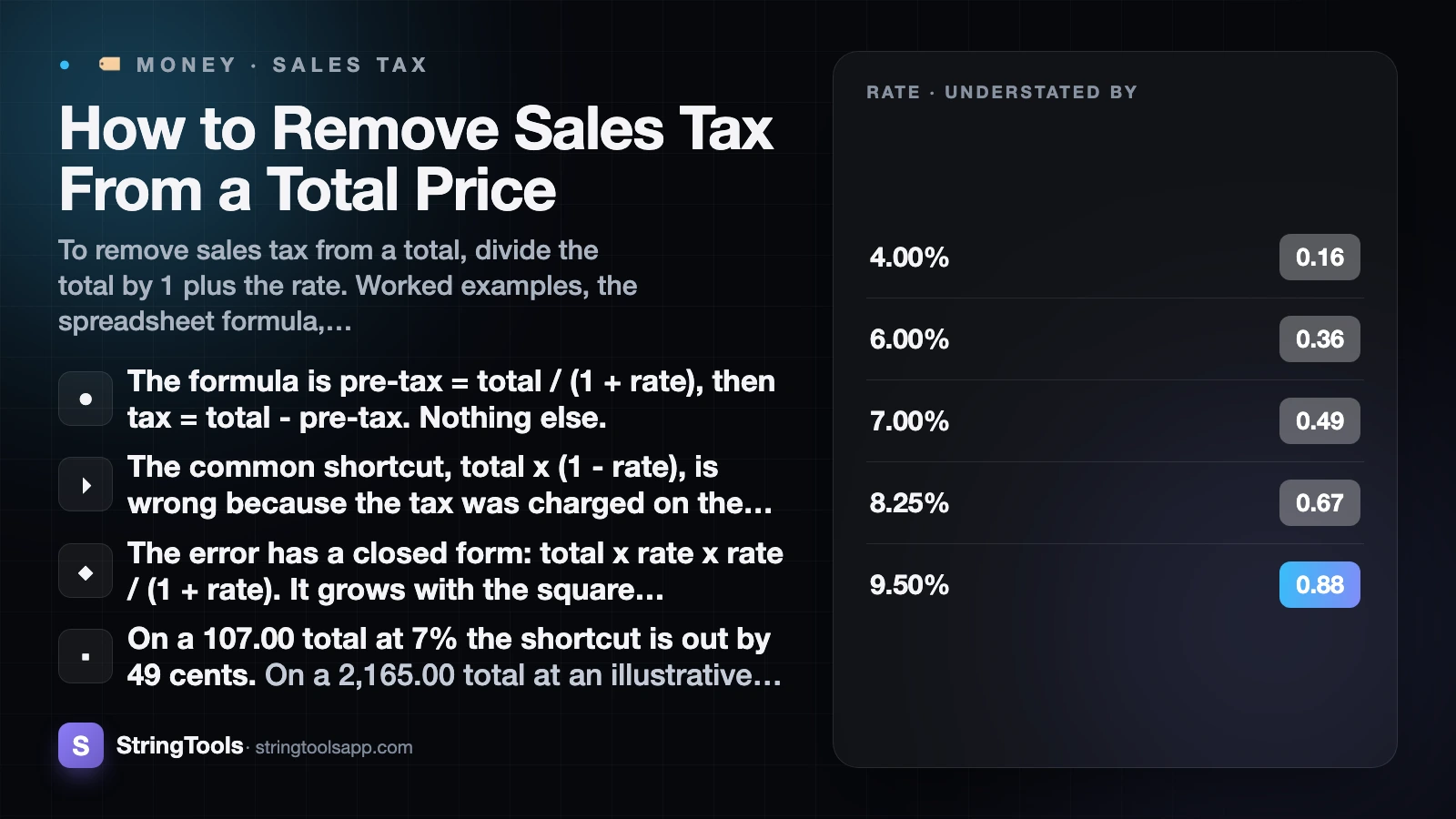
To remove sales tax from a total, divide the total by 1 plus the rate as a decimal. A 107.00 total at an illustrative 7% rate gives 107.00 divided by 1.07, which is 100.00 before tax, leaving 7.00 of tax. Subtracting a percentage from the total is the wrong operation and always under-states the pre-tax price.
Key Takeaways
- The formula is
pre-tax = total / (1 + rate), thentax = total - pre-tax. Nothing else. - The common shortcut,
total x (1 - rate), is wrong because the tax was charged on the smaller pre-tax figure, not on the tax-inclusive total. - The error has a closed form:
total x rate x rate / (1 + rate). It grows with the square of the rate, so it roughly quadruples when the rate doubles. - On a 107.00 total at 7% the shortcut is out by 49 cents. On a 2,165.00 total at an illustrative 8.25% rate it is out by 13.61.
- You need the rate that was actually charged, not the rate you think applies. If the receipt prints a tax line, derive the rate from it rather than assuming.
- Mixed receipts with exempt lines cannot be reversed with one rate. Split the taxed and untaxed portions first.
Every figure below is illustrative. This is general information, not tax advice.
Why You Divide Instead of Subtracting
Start from how the total was built. The seller took a pre-tax price, applied a rate to it, and added the result:
total = price + (price x rate)
Factor out the price and that is:
total = price x (1 + rate)
The only way back to price from total is to undo the multiplication, which means dividing:
price = total / (1 + rate)
Subtracting a percentage of the total does something different. It takes the rate off a bigger base than the one the tax was ever charged on, so it removes too much.
Here is the cleanest demonstration there is. Take 100.00, add an illustrative 7%, and you get 107.00. Now reverse it. Dividing by 1.07 returns exactly 100.00, which is where you started. Multiplying 107.00 by 0.93 returns 99.51. A reversal that does not return you to your starting point is not a reversal.
Worked step by step on that 107.00 total:
- Convert the rate: 7% becomes 0.07.
- Add one: 1 + 0.07 = 1.07. This is the divisor.
- Divide: 107.00 / 1.07 = 100.00. That is the pre-tax price.
- Subtract: 107.00 - 100.00 = 7.00. That is the tax.
- Check: 100.00 x 0.07 = 7.00, and 100.00 + 7.00 = 107.00. It reconciles.
That last step is the habit worth keeping. Any reverse-tax answer can be checked in five seconds by running it forwards again. If the forward pass does not land back on your original total, the answer is wrong.
The Error the Wrong Method Produces
It is one thing to assert that the shortcut is wrong and another to show what it costs. Both columns below were computed with exact decimal arithmetic and rounded to the cent at the end.
First, the same 107.00 total reversed at a spread of illustrative rates:
| Rate | Correct pre-tax (divide) | Wrong pre-tax (subtract) | Understated by |
|---|---|---|---|
| 4.00% | 102.88 | 102.72 | 0.16 |
| 6.00% | 100.94 | 100.58 | 0.36 |
| 7.00% | 100.00 | 99.51 | 0.49 |
| 8.25% | 98.85 | 98.17 | 0.67 |
| 9.50% | 97.72 | 96.84 | 0.88 |
| 11.00% | 96.40 | 95.23 | 1.17 |
The gap more than doubles between 4% and 7%, and it more than doubles again by 11%. That is the squared term doing its work.
Now hold the rate at an illustrative 8.25% and scale the total. Each total here is an exact tax-inclusive figure, so the correct column lands on round numbers:
| Tax-inclusive total | Correct pre-tax | Correct tax | Wrong pre-tax | Wrong tax | Understated by |
|---|---|---|---|---|---|
| 21.65 | 20.00 | 1.65 | 19.86 | 1.79 | 0.14 |
| 108.25 | 100.00 | 8.25 | 99.32 | 8.93 | 0.68 |
| 541.25 | 500.00 | 41.25 | 496.60 | 44.65 | 3.40 |
| 2,165.00 | 2,000.00 | 165.00 | 1,986.39 | 178.61 | 13.61 |
The proportional error is identical in every row of that second table: about 0.629% of the total, which is 0.0825 squared divided by 1.0825. The absolute error scales with the size of the purchase, which is why this stops being a curiosity the moment you are reversing equipment invoices rather than coffee receipts.
The general expression, if you want to estimate the damage on any figure without recomputing:
error = total x rate x rate / (1 + rate)
At 4% that is about 0.154% of the total. At 7%, about 0.458%. At 10%, about 0.909%. At 11%, about 1.090%.
Finding the Rate When You Do Not Know It
The formula is useless without the right rate, and the rate is the part people guess at. Three situations come up.
The receipt prints a tax line. This is the easy case and you do not need to guess at all. Divide the tax by the pre-tax subtotal. If a receipt shows a 61.98 subtotal and 4.34 of tax, then 4.34 / 61.98 = 0.07, so the rate charged was 7%. Use that, not a published table.
The receipt prints only a total. You have to source the rate. In the US that means the state base rate plus every local rate that applies at the address of the sale or the delivery, which is covered in why sales tax differs so much between states. A national table gives you the state portion and often an average local figure; an average is fine for an estimate and not fine for a filing.
The price is tax-inclusive by design. Outside the US, displayed prices usually already include VAT or GST, and the rate is a published national rate rather than a stack of local ones. That makes reversing far more reliable, and it is one of the practical differences set out in sales tax vs VAT vs GST.
For the US, the Tax Foundation's state and local sales tax data is the usual reference point, and the state revenue department is the authority — Texas Comptroller sales tax pages are a representative example. The sales tax calculator has a state base-rate dropdown with its own as-of date and a separate local-rate field, so you can enter what you actually know rather than accepting a single blended guess.
Mixed Receipts: When One Rate Cannot Reverse the Whole Bill
A single division only works when every line on the receipt carried the same rate. Real baskets often do not.
Say a receipt at an illustrative 7% rate: 64.20 of tax-inclusive taxable goods, plus 8.50 of exempt goods such as unprepared food or a prescription, for a 72.70 total.
Reverse the taxable part only: 64.20 / 1.07 = 60.00 pre-tax, with 4.20 of tax. Add the exempt 8.50 straight back at face value. The pre-tax subtotal is 68.50, the tax is 4.20, and the total is 72.70.
Now see what happens if you reverse the whole 72.70 at 7%: you get 67.94 and 4.76 of tax. You have invented 56 cents of tax that was never charged, because you applied the rate to goods that were never taxed.
| Method | Pre-tax | Tax | Correct |
|---|---|---|---|
| Split: reverse 64.20 at 7%, add 8.50 exempt | 68.50 | 4.20 | Yes |
| Reverse all 72.70 at 7% | 67.94 | 4.76 | No, 0.56 too much tax |
| Subtract 7% from 72.70 | 67.61 | 5.09 | No, both errors at once |
The same problem appears whenever a receipt mixes standard-rated and reduced-rated categories, which is common for food, clothing, and prepared versus unprepared items — the subject of what is tax exempt. The rule is simple: group the lines by the rate they carried, reverse each group with its own divisor, and only then add the groups together. Per-line exempt flags exist in the tool for this reason.
Doing It in a Spreadsheet, and in Your Head
Most people reversing tax at any volume are doing it in a spreadsheet. The formula is one cell.
With the total in A2 and the rate as a percentage in B2:
- Pre-tax:
=A2/(1+B2/100) - Tax:
=A2-A2/(1+B2/100) - Rounded to cents:
=ROUND(A2/(1+B2/100),2)
Round once, at the end, and derive the tax by subtraction from the rounded pre-tax figure. If you round both the pre-tax figure and the tax independently, they will occasionally fail to add back to the total, and a column that does not reconcile with its own sum is the thing that costs you an afternoon later.
For a mental estimate, use the fact that dividing by 1.07 is close to subtracting 6.5%, and dividing by 1.10 is close to subtracting 9%. The general approximation is that dividing by (1 + r) removes roughly r - r squared as a share of the total. At a 10% rate, that is about 9%, which is why "knock about 9% off" is a serviceable pub estimate for a 10% tax and "knock 10% off" is not.
Do not use the approximation for anything you write down. Use it to sanity-check a number you have already computed properly, which is the only job mental arithmetic should have here.
Where Reverse Tax Maths Actually Matters
This is not an academic exercise. The reverse direction shows up in the places where money is reported rather than spent.
- Expense claims. Many reimbursement systems want the net amount and the tax separately, from a receipt that only shows a total.
- Bookkeeping from card statements. A card line is a tax-inclusive total with no breakdown. Reversing it is how it becomes two ledger entries.
- Reclaiming input tax. Businesses that can recover tax paid on purchases need the tax component, and an error of about 0.5% of the total, which is around 7% of the tax figure itself of that component across a year of purchases is exactly the kind of systematic error that surfaces in an audit.
- Pricing to a round number. If you want a shelf price to land on 20.00 including an illustrative 8.25% tax, your pre-tax price is 20.00 / 1.0825, which is 18.48. Set 18.48 and the till prints 20.00.
- Comparing quotes. One supplier quotes tax-inclusive, another quotes net. Until both are on the same basis you are not comparing anything.
- Cross-border comparison. A European or Australian shelf price includes the tax; a US shelf price does not. Reversing is the only way to put them side by side honestly.
The sanity check never changes: take your answer, add the tax back, and see whether you land on the total you started with. If you do not, you divided by the wrong thing or applied one rate to a basket that carried two.
If you would rather not hand-roll it, the sales tax calculator reverses a tax-inclusive total directly, takes the state base and the local rate as separate inputs, and lets you mark individual lines exempt so mixed baskets come out right. The formulas on the way in are covered in how to calculate sales tax. For anything you will file, confirm the rate with the state revenue department and, if the amounts are material, an accountant — the IRS small business pages are the right starting point for how the records fit together federally.
Frequently Asked Questions
How do you remove sales tax from a total?
Divide the total by 1 plus the rate as a decimal. At an illustrative 7% rate, 107.00 / 1.07 = 100.00 pre-tax, and the tax is the 7.00 remainder. Check it by adding the tax back: 100.00 x 1.07 returns 107.00.
Why can I not just subtract the tax percentage from the total?
Because the tax was charged on the pre-tax price, which is smaller than the total. Taking the percentage off the total removes too much. On a 107.00 total at 7%, subtracting gives 99.51 instead of 100.00 — 49 cents low — and the gap widens as the rate rises.
How big is the error if I use the wrong formula?
It is total x rate x rate / (1 + rate): about 0.154% of the total at a 4% rate, 0.458% at 7%, 0.629% at 8.25% and 0.909% at 10%. On a 2,165.00 total at 8.25% that is 13.61 of pre-tax price misplaced, and the same amount over-stated as tax.
How do I find the rate that was charged if the receipt only shows a total?
If the receipt shows a subtotal and a tax line, divide the tax by the subtotal: 4.34 on a 61.98 subtotal is 0.07, so 7%. If it shows only a total, you have to source the combined rate for the address of the sale from the state revenue department, because local rates stack on the state base.
How do I reverse a receipt where some items were tax exempt?
Split it first. Reverse only the tax-inclusive taxable lines with the divisor, then add the exempt lines back at face value. On 64.20 of taxable goods at 7% plus 8.50 exempt, the answer is 68.50 pre-tax and 4.20 tax. Reversing the whole 72.70 instead invents 0.56 of tax that was never charged.
What is the spreadsheet formula for reverse sales tax?
With the total in A2 and the rate as a percentage in B2, use =ROUND(A2/(1+B2/100),2) for the pre-tax price and subtract that result from the total to get the tax. Round once at the end so the two figures always add back to the total exactly.
Sources and references
Tax Foundation's state and local sales tax data (taxfoundation.org) · Texas Comptroller sales tax pages (comptroller.texas.gov) · IRS small business pages (irs.gov). Content was reviewed against these sources as of the last-updated date above; external figures and rules may change after publication.